Claude has made a working prototype an afternoon's work. You describe the idea, and soon you have something you can click through, show a co-founder and put in front of a customer.
Then someone asks when it can go live, and the gap appears. The screens work. Almost everything around them is missing.
That gap is real, and it isn't a failure on your part or the tool's. A prototype is built to answer one question: is this worth building? Production has to answer harder ones. Who is allowed to see this record? What happens when the model times out? What does it cost when a thousand people use it on the same day?
This is the first article in a series on making that leap. Here's what a quick prototype usually skips, and the order I'd close the gaps in.
Why the leap feels so big
A prototype is good at the part of a product you can see. After 30+ years of building for the web, I can tell you that most of the work in a production app sits where nobody looks: accounts, permissions, data that survives, failures handled and costs kept in check.
If you built it as a Claude artifact, Claude has also been quietly doing some of that work for you. Anthropic's help center explains that an artifact can call Claude without an API key, and that the usage counts against each person's own plan rather than yours. Stored data is capped at 20 MB of text per artifact, and whoever builds it decides what is private to each person and what everyone shares. Sharing an artifact generally needs every viewer to have a Claude account, and you can invite up to 50 people from outside your organization to each one. These details change, so check the current pages.
All of that is fine for testing an idea with a handful of people. None of it is your own sign-in, your own database or your own AI bill, and those are exactly what production needs.
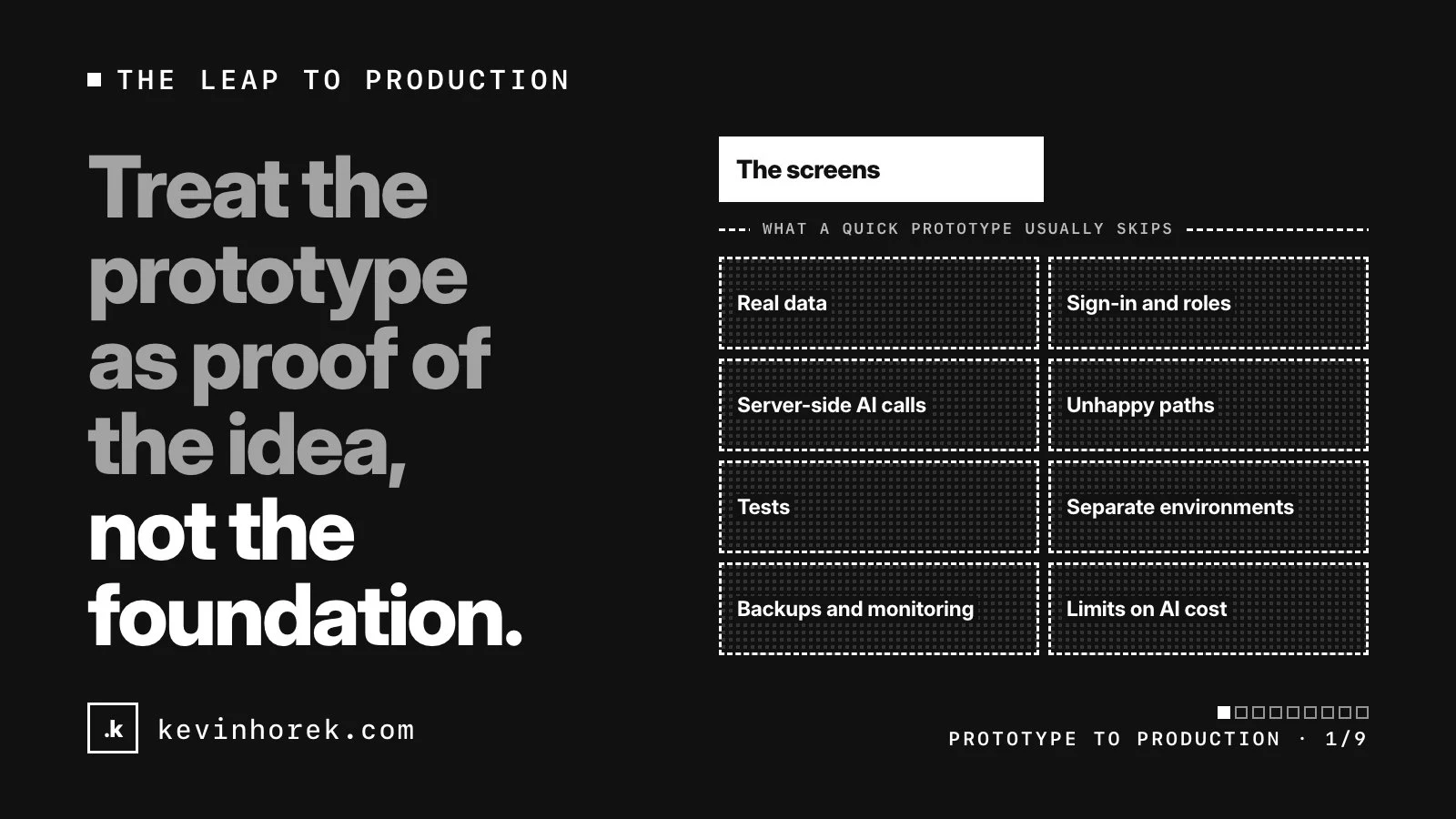
What a quick prototype usually skips
These are the gaps I look for first.
- Real data. The records are samples or hard-coded, and anything saved goes into browser storage rather than a database. MDN describes browser storage as best effort by default: browsers can clear it when space runs low, and Safari can delete script-created data for a site with no user interaction in seven days of browser use. It also lives in one browser, so nobody else sees it.
- Sign-in and roles. Everyone is the same user, or there's a role switcher in the corner. A real product needs accounts, and rules about who can read, change and delete what.
- Keys and model calls in the browser. Once the code leaves Claude, the quickest way to keep the AI working is to call the model straight from the page. Anthropic's API course says never to call its API from client-side code, because the request needs your secret key. Your app should call your own server, which holds the key.
- Only the happy path. There's no empty state for a new account, no message when the model fails and no screen for "you don't have access to this."
- No tests. Every change is checked by clicking around, which stops working once the product has more than a few screens.
- One environment. Every change is live the moment it's made. There's nowhere to try something without risking what people are using.
- No backups or monitoring. If data is lost, it's gone. If something breaks overnight, you find out from a customer.
- No limits on AI cost. In an artifact, each person's plan covered the AI. In production, you pay for every call, including retries, long inputs and anyone abusing the feature. Anthropic lets you set your own spend limit for the organization and lower limits for individual workspaces. I've written separately about what an AI feature costs to operate.
None of this means the prototype was badly built. These were the right things to skip while you were finding out whether the idea worked.
The order I'd close the gaps in
My rule for the order is simple: fix what could hurt someone before what could embarrass you. A missing empty state looks rough. A leaked key, another customer's data on screen or a lost week of records does real damage.
Before you change any code
- Write down what the prototype settled. The flows, screens, copy and what users reacted to are the valuable part. Keep the prototype as the spec covers how to capture them.
- Put everything in one brief, including what the prototype never had to answer: roles, data, integrations and rules. See one requirements brief.
Before a real person signs in
- Design the real data model and move off sample data and browser storage. See design the real data model.
- Add sign-in and access rules, enforced on the server and in the database, not by hiding buttons. My Supabase launch checklist goes through this for one common stack.
- Move AI calls to the server and set limits before customers see the feature. See move your AI calls to the server.
- Separate dev, preview and live, so testing never touches real data. See previews, environments and rollback.
Before you call it launched
- Fill in the unhappy paths: empty, error and permission states. Real users trying each preview will find more of them than you will, so fix the worst problems first.
- Add tests, backups and monitoring, and practice restoring a backup once.
- Decide what you'll measure, because launch starts the loop.
None of this needs one big rewrite. Port it in steps explains how I move a prototype across in stages that each leave the app working.
The short version
- Treat the prototype as proof of the idea, not the foundation.
- Capture its decisions before anyone rewrites anything.
- Real data, sign-in, access rules, server-side AI and separate environments come before real users.
- Unhappy paths, tests, backups and monitoring come before launch.
- Move in steps, and keep the app usable after each one.
If you're stuck on one of these steps, email me and I'll point you in the right direction.