Automated tests check what someone thought to automate. Real users find what nobody expected. In between sits a lot of tedious checking: clicking through the product after every change to make sure what worked yesterday still works today.
That middle layer is where I now use an AI browser agent as a QA tester. I write the scenarios. The agent runs them against a dev or preview site, in batches, and reports what failed.
It does not replace automated tests, and it does not replace people. It catches a different kind of problem, cheaply and often, as long as you give it something precise to follow. Here is how I set it up.
Start with a feature inventory
Before an agent can test a product, someone has to say what the product is supposed to do. Without that, "test the app" means whatever the agent happens to click.
So I start with a feature inventory: a plain list of every screen, every role and everything a person can do. For each feature I note:
- the roles that should and should not see it
- the states it can be in: empty, loading, full, failed, very long text
- the forms it contains and what counts as valid input
- the screen sizes it has to work at
States are where products quietly break. In Mentor Intelligence, a signed-in user with no membership sees nothing until they are invited. That is one line in the inventory, and exactly the kind of state nobody checks by hand after the tenth release.
The inventory is useful even if you never use an agent.
Turn it into a testing matrix
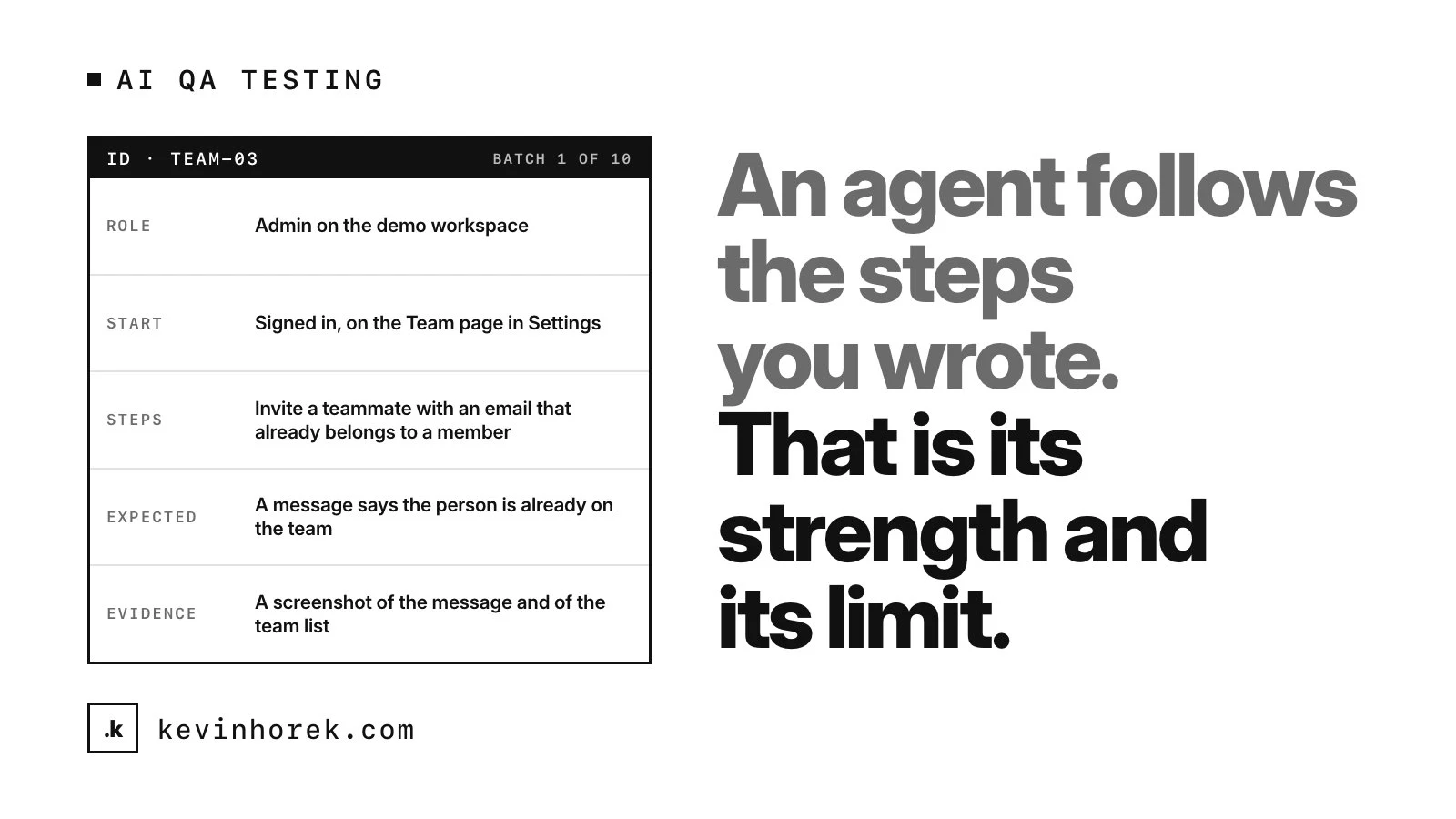
The testing matrix turns the inventory into executable scenarios, each small enough that a stranger could follow it. Here is the shape of one:
- ID: TEAM-03
- Role: admin on the demo workspace
- Start: signed in, on the Team page in Settings
- Steps: invite a teammate using an email address that already belongs to a member
- Expected: a message says the person is already on the team, and no second invite appears in the list
- Evidence: a screenshot of the message and of the team list
A few rules make scenarios work for an agent:
- One scenario, one outcome. If a scenario checks four things, a failure tells you very little.
- Use the words on the screen. Name buttons and menus exactly as they appear, so the agent is not guessing.
- Make the expected result observable. "Works correctly" is not a result. "The list shows three items and the counter says 3" is.
- Ask for evidence. Anthropic's documentation for its computer use tool notes that Claude sometimes acts as if an action succeeded without checking the result. A screenshot or the exact text for every pass and fail turns a claim into something you can check.
- Say what to do when the screen does not match. Stop and mark the scenario as blocked. An agent that improvises past a mismatch is testing something you did not write.
Run it in batches
A full matrix is long, so I split it into numbered batches and run them one at a time: batch 1 of 10, then batch 2 of 10, and so on.
Short runs keep the agent on task and the report short enough to read properly.
Every batch ends with the same report: scenario ID, pass, fail or blocked, what happened, and the evidence. Failures are ranked by severity, fixed and rerun before the next batch.
Keep it away from anything real
The agent runs against a dev or preview site, with seed data and test accounts that exist only there. Never against production, and never with real customer records. It is the same first rule my coding agents work under.
Anthropic's documentation lists sensible precautions for this kind of agent: a dedicated virtual machine or container with minimal privileges, no access to sensitive data such as account logins, internet access limited to an allowlist of domains, and a person confirming anything with real-world consequences. It also warns that instructions on a web page can sometimes override yours. On a test site full of seed data, the worst case is a wasted batch.
What it catches well
Given precise scenarios, an agent is good at the checks people get bored of:
- Broken links and dead ends. Pages that are missing, buttons that do nothing, flows with no way back.
- Missing states. An empty list with no message, an error that shows a raw code, a spinner that never stops.
- Regressions in known flows. The invite, the export or the settings save that worked last week and quietly stopped.
- Role mistakes on screen. A button showing for a role that should not see it. Whether the action is blocked still needs testing on the server and in the database.
- Copy that drifted. A label that no longer matches the spec, or two screens calling the same thing by different names.
Where a person still has to look
An agent follows the steps you wrote. That is its strength and its limit.
- Judgment. It can confirm that a flow works. It cannot tell you whether it is the right flow.
- Feel. Slow responses, awkward layouts, a screen that works and still feels wrong.
- Real users. The agent knows the steps because you gave them to it. Your users do not. That is why I still test every preview with real users.
- The report itself. Agents can report a false pass or a false fail. I spot-check the evidence, especially for anything important marked as passing.
- The decision to ship. The agent reports. A person decides, which is the point of keeping launch authority with humans.
Alongside automated tests, not instead
Automated tests are fast, exact and repeatable, and they should carry most of the load: unit tests, end-to-end browser tests and screenshot comparisons of key pages at the screen widths you support.
An agent run covers the ground in between: flows that change too often to be worth automating yet, new features before their tests exist, and the broad sweep nobody has time to do by hand. When a scenario keeps catching real problems, that is a good sign it should become an automated test.
If your product has no written list of what it is supposed to do, email me. The feature inventory alone is worth having, and it makes every kind of testing easier.