Once a prototype has proved the idea, there are two tempting ways to make it real.
The first is to throw it away and rebuild it properly, from scratch, in one go. The second is to keep adding to the prototype until it turns into a product.
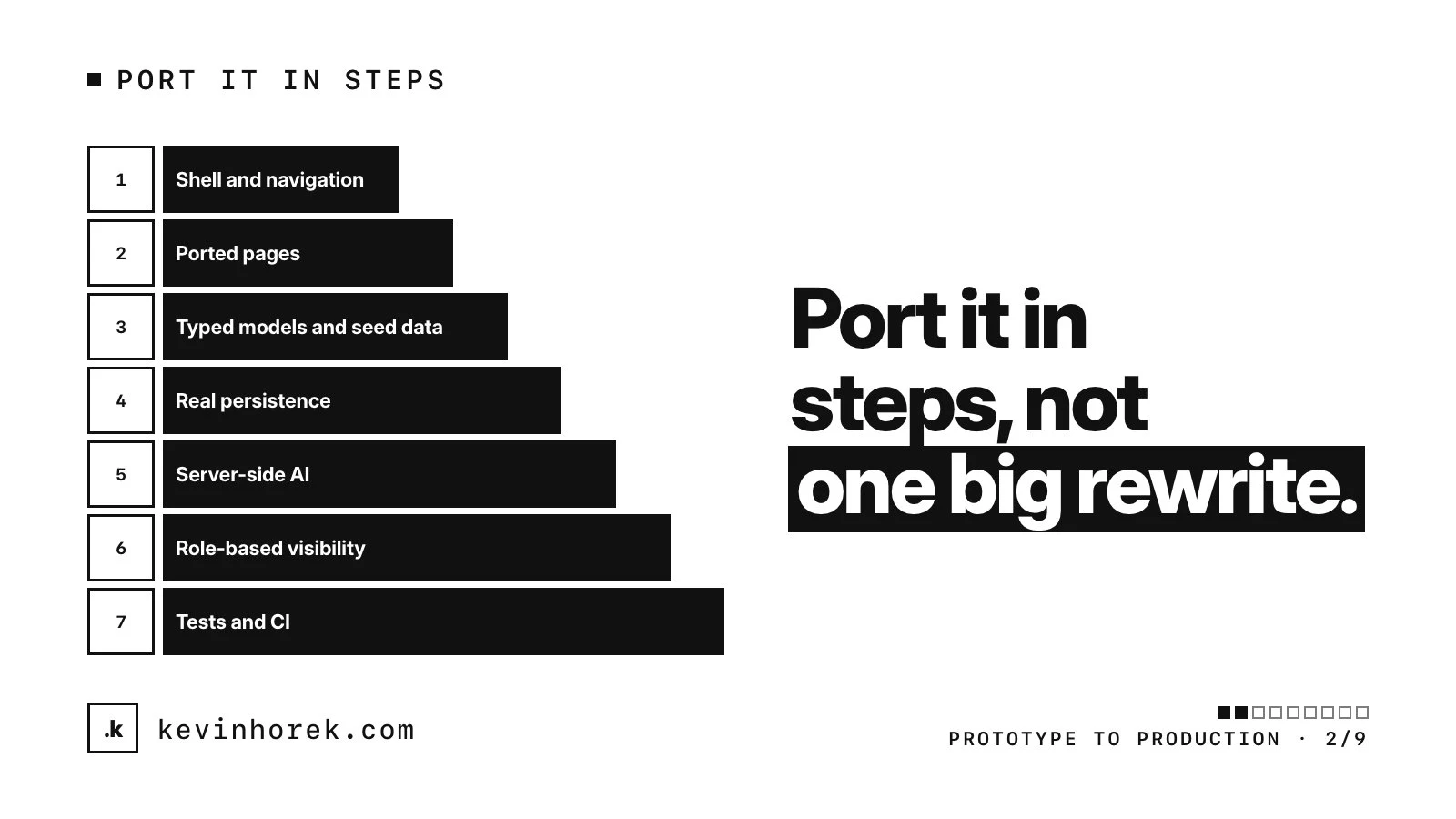
Both feel reasonable, and both tend to stall. What works for me is a third path: move the prototype into the production stack in small steps, each one shippable, with the app usable at the end of every step. I've moved my own products from static prototypes to production this way, and the sequence below is the one I use.
Why a full rewrite is risky
A big rewrite goes quiet for weeks. Nothing new is usable until the end, so nobody can test it, and the feedback that made the prototype good stops arriving.
Decisions get lost on the way. The prototype settled the flows, the copy and the layout through real reactions. A rebuild from a blank page quietly re-decides them, often worse. That's why I keep the prototype as the spec.
Everything also lands at once. The database, sign-in, AI and interface go live together, so when something breaks, it's hard to tell which part did it. And "while we're rebuilding anyway" is how scope grows.
Why endlessly extending the prototype is risky too
The prototype's foundations were picked for speed: sample data, browser storage, model calls from the page and one user who can do everything. Every feature you add sits on those foundations and makes them harder to replace.
Fixes get bolted onto code that was never designed for them. Then real users arrive, and the product they're trusting with their data can't protect it.
The rules for every step
- Each step ends with a deployed preview that works.
- Each step has a definition of done you can check, not just a feeling.
- Don't start the next step until the current one is done.
- Keep the prototype available, untouched, for comparison.
Early on, "usable" means people can click through what's there while the prototype stays the reference. By step 4, it means something a person can rely on.
The seven steps
1. Shell and navigation
Set up the production stack: the framework, hosting, layout, navigation and every route, with placeholder pages.
Done when a deployed preview has every route the prototype had, and a change can go from your repository to a preview without anyone doing it by hand.
Why first: everything else plugs into it, and it proves the release path before there's anything to break.
2. Ported pages
Move the screens across one at a time, still on the prototype's sample data.
Done when each page matches the prototype's screenshots and copy, or differs on purpose, with the decision written down.
Why now: people can keep trying the same flows in the real stack. Because the data hasn't changed yet, any difference they notice is about the interface.
3. Typed models and seed data
Replace hard-coded records with a defined type for each kind of record, plus seed data that covers realistic cases: an empty account, very long names, lots of records, missing fields.
Done when every page reads from the seed data and no record is hard-coded in a component.
Why before the database: the data model is cheapest to change while nothing is stored in it. Good seed data also gives tests and coding agents something to work with besides real records. More in design the real data model.
4. Real persistence with row-level security
Move the data into a real database, with access rules enforced in the database itself. In Postgres, once row security is enabled on a table and no policy exists, the default is to deny: no rows are visible or can be changed. You then write policies for what each user may read and change. Table owners usually bypass these rules, so test as the roles your app actually uses.
Done when data survives a refresh and a different device, and two test accounts can't read or change each other's records, checked by tests rather than by eye.
Why before real users: a real person's data should never land somewhere without rules. My Supabase launch checklist covers this for one common stack.
5. Server-side AI
Move every model call and key to the server. Anthropic's API course says never to call its API from client-side code. Your app calls your own server, which holds the key.
Done when no key appears in the shipped code, every AI call goes through your server and checks who is asking, usage has limits, and the interface handles hitting them.
Why before customers see it: a key in the browser can be copied and used on your bill. More in move your AI calls to the server.
6. Role-based visibility
Now the interface shows each role what it should: admin screens, staff tools, read-only views.
Done when each role has been tested, and anything hidden from a role is also refused by the server if that role asks for it directly.
Why after persistence: the rules underneath have to exist before the interface reflects them. Doing it the other way round gives you buttons that are hidden but still work.
7. Tests and CI
Add automated tests for the core flows and the access rules, and run them on every change. On GitHub, protected branches can block merging until the required status checks pass.
Done when a change that breaks a core flow or loosens an access rule can't be merged.
Why last: not because tests matter least. The access-rule tests started in step 4. By now the flows and data model have stopped moving, so the full suite isn't rewritten every week, and it guards everything the first six steps built.
Keep it usable after every step
- Put each step's preview in front of real users. I test every preview with real users, and porting is no exception.
- If a step runs long, split it. Don't leave the app broken while you finish.
- Write down every deliberate difference from the prototype as you make it.
- Retire the prototype only when the ported version does everything it did.
A checklist for each step
- Is there a deployed preview, and does it work end to end?
- Did the step meet its definition of done?
- Did real users try it?
- Are the differences from the prototype written down?
- Could you stop here and still have a working app?
If the answer to any of these is no, the step isn't finished yet.