Every prototype has data in it. Usually it's a handful of tidy records: five customers with complete details, three projects that each belong to one person, a dashboard where every number looks right.
That data was written to make the screens work, and it did its job. It was never meant to test the model underneath. Real data has duplicates, blanks, odd formats, records shared between people and history someone will ask for later.
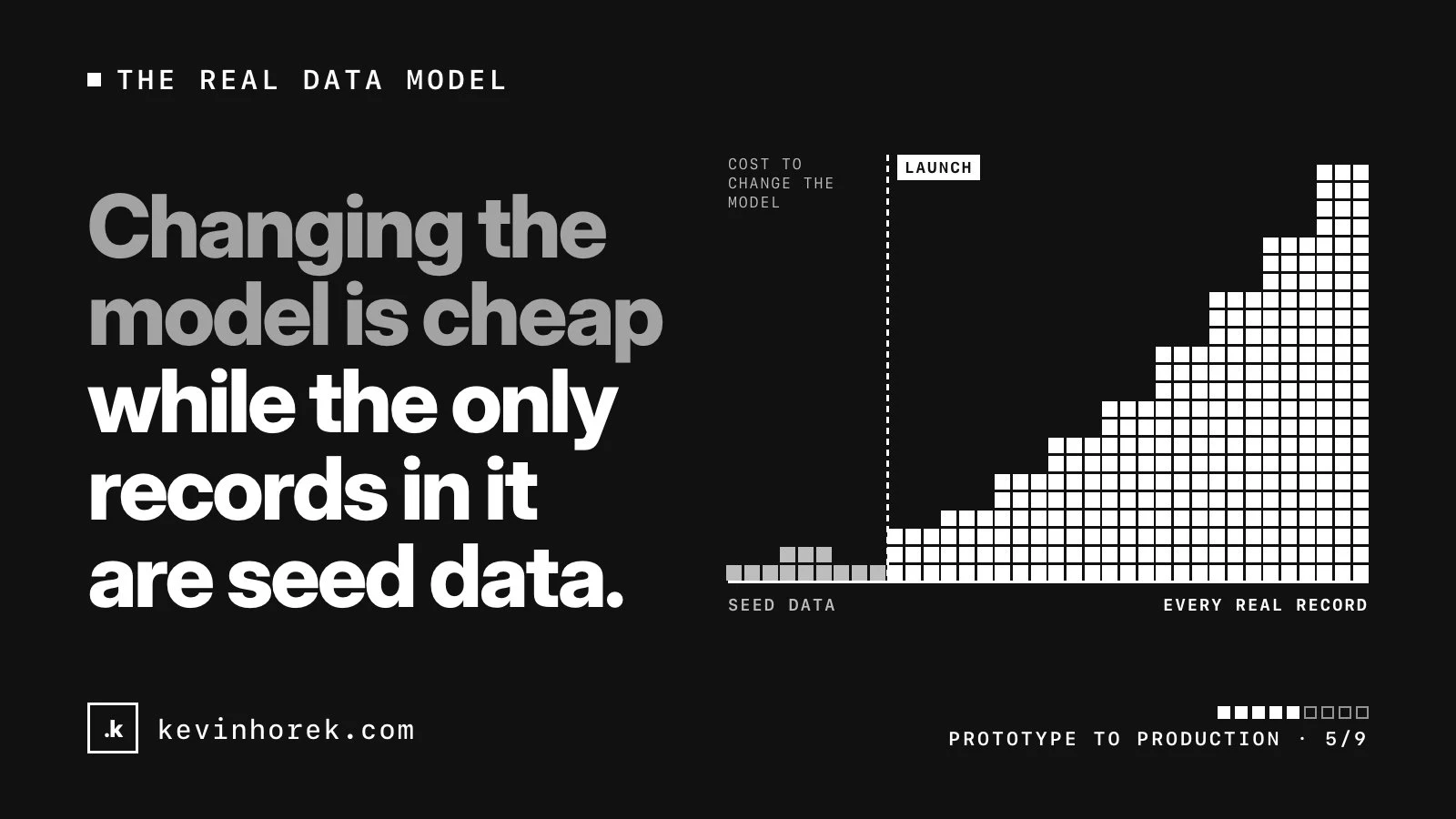
The data model is the hardest part of a product to change after launch, because everything is built on it and real records are sitting in it. When I port a prototype, typed models and seed data come just before real persistence, so the model is settled before anything real is saved. Here's what I check.
What sample data hides
Record ids
Prototypes often identify records by their position in a list, a name or an email address. Then two customers share a name, someone changes their email, or two records need merging.
Give every record a generated id that never changes and means nothing. Postgres can generate one for you. Keep the customer's own reference numbers, such as invoice or member numbers, as separate fields, and make them unique where they must be.
Relationships
In sample data, every project has one owner and every contact belongs to one company. In real life a contact works with two companies, a job has three people on it, and a record outlives the person who created it.
Decide which links are one-to-many and which are many-to-many. Then put them in the database as foreign keys, so the database refuses a link to a record that doesn't exist.
Required versus optional
Sample data fills in every field. Real imports don't. For each field, ask whether the record can exist without it.
If it can't, make the column required in the database, not just with an asterisk on the form. If it can, design the screen for the blank: what does the card show with no phone number? And if "unknown", "none" and "not asked yet" mean different things to the business, store them differently.
Who owns a record
In a prototype, one user sees everything. A real product has users, teams and often separate customer organizations, or tenants, sharing one database.
For every table, decide who owns a row, who can see it and who can change it. Put the owner on the row and enforce access in the database. I went through this in one app, many chapters, and my Supabase launch checklist covers testing those rules.
Also decide what happens when someone leaves a team. Usually their records belong to the organization, and the person was only the creator.
History and audit
Prototypes overwrite. Real customers ask who changed this, when, and what it said before.
Decide which tables need created and updated stamps, and which need full history: status changes, money, approvals and anything AI helped write. Start recording it before launch. You can add a history table later, but you can't recover what was already overwritten.
Deletes versus archives
Prototypes delete. A hard delete can't be undone, breaks links and erases history. Some data really does have to be deleted, though, so check your local rules on retention and deletion requests.
Decide per table: archive, so it's hidden but restorable, or delete. Then decide what happens to related records. Postgres lets you block the delete, delete the related rows too, or clear the link, and by default a delete that would leave other rows pointing at nothing usually fails. A cascading delete on the wrong table can remove far more than anyone meant.
Migrations
Before launch you can reshape the data whenever you like. After launch, every change has to carry existing records with it. Write every schema change as a migration file in the repository, and run it in dev and test before live. I cover that setup in previews, environments and rollback.
Test the model with the customer's real data
The fastest way to find out whether a model is right is to pour real data into it. I ask early for the files people actually use: the spreadsheets, the exports from the current system, the master file one person keeps up to date.
Then I run a trial import into a separate, locked-down environment set up for the trial, never live and never where coding agents work. Leave out or mask personal details the test doesn't need, and follow whatever rules the customer has about their data.
What I look for:
- dates stored as text, in three formats;
- two values crammed into one cell;
- duplicates that are almost, but not quite, the same;
- references to things that aren't in the file;
- columns nobody can explain;
- fields that are always blank, and fields that never are.
Every row that won't fit is a decision: change the model, clean the data, or decide what the import does with it. Write those decisions into the spec. You'll need an import at launch anyway, and this is its first draft.
Seed data for demos and tests
Once the model is real, rebuild the seed data to match it. Don't carry over the prototype's tidy records.
Good seed data looks like the data that broke the import: blank optional fields, very long names, a record with dozens of children and one with none, archived records, every role, and at least two organizations so you can test that one can't see the other.
Keep it in the repository and load it with one command. On Supabase, a seed file runs after your migrations when you first start the local stack and on every reset, and the docs advise keeping it to data, not schema.
A demo dataset and a test dataset have different jobs. The demo tells a believable story. The test set exists to break things. Neither should contain a real customer's records.
Before real data goes in
- Give every record a stable generated id.
- Draw the relationships and enforce them with foreign keys.
- Mark each field required or optional, and enforce the required ones in the database.
- Put an owner on every row and enforce access in the database.
- Decide which records need history, and record it from day one.
- Decide archive or delete for each table, and what happens to related records.
- Make every schema change a migration.
- Trial-import the customer's real files into a separate, locked-down environment.
- Rebuild the seed data from what that import taught you.
Changing the model is cheap while the only records in it are seed data. It gets harder with every real record.