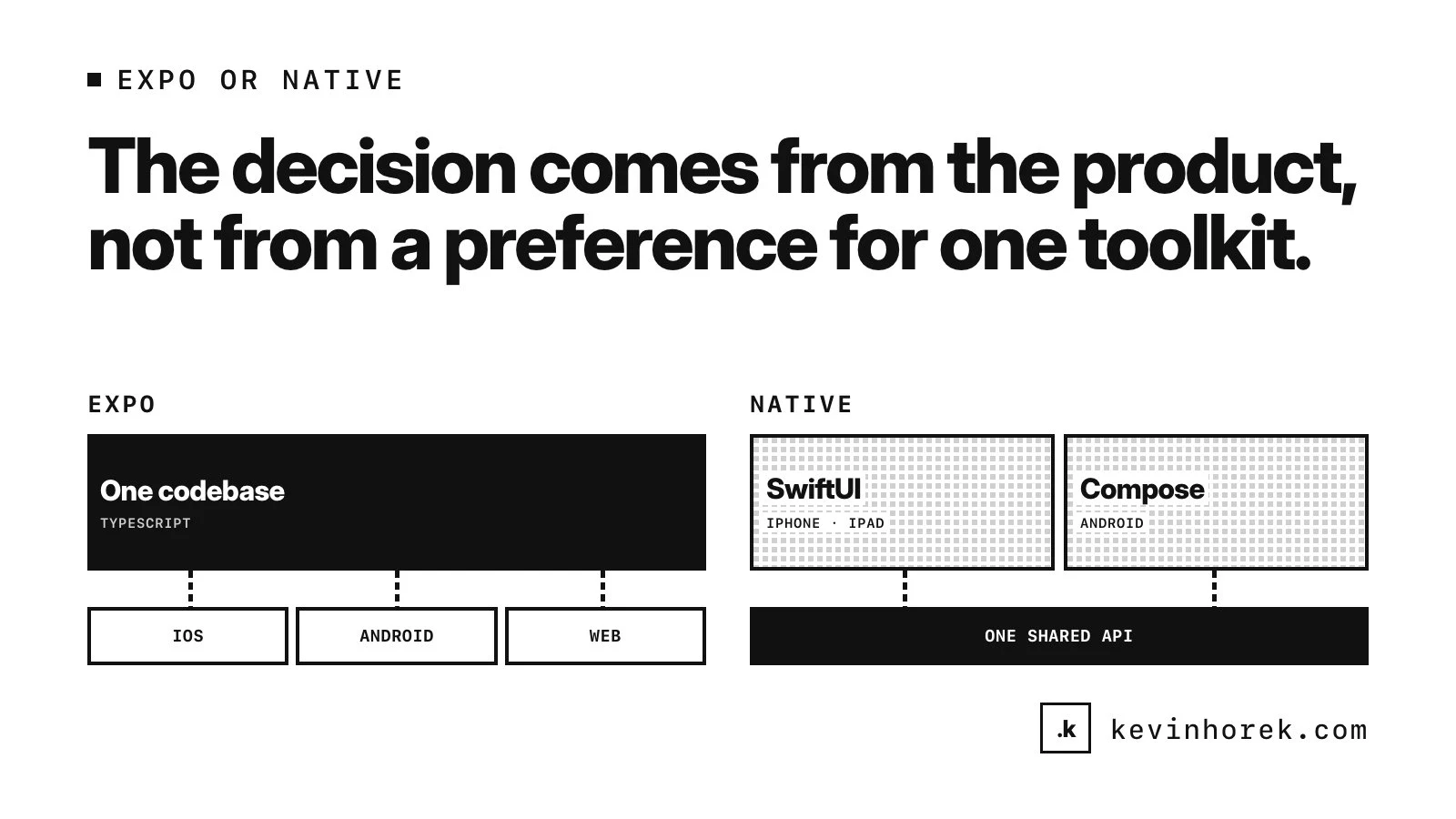
Every product with a mobile app reaches the same fork early. Build it once with React Native and Expo, or build it natively for each platform?
After more than 30 years of building products, I don't think there is one right answer. Two of my own products took opposite paths, and I think both choices were right.
That is the useful part. The decision comes from the product, not from a preference for one toolkit. Here is how the two choices were made, and the questions I would ask about yours.
Two products, two answers
BackTrack is a reverse alarm clock. You set when you need to arrive, and it works backwards to tell you when to start. It is built with Expo from one codebase for iOS, Android and the web, because it is for anyone with somewhere to be, on whatever they carry. The trade-off is fewer platform-specific flourishes, and far less to maintain alone.
Mentor Intelligence helps venture mentoring programs match mentors with founders. The web app came first. Staff and mentors live on their phones, so the apps went native, with SwiftUI for iPhone and iPad and Jetpack Compose for Android, sharing the web app's API.
Both are solo builds, so team size alone did not decide it. Who uses each product, and where, did. The same questions apply to yours.
Who uses it, and where
Start with the moment of use, not the technology. It is the same habit I described in working backwards.
- Who is it for? A consumer app that has to reach whoever downloads it, on whatever they carry, leans toward one codebase that runs everywhere.
- How often? A tool people open many times a working day, on their own phone, makes the feel of each platform matter more.
- Where else? If most use happens at a desk, a responsive web app may be all you need for now.
Write the answers down in a sentence or two: who opens the app, on what device, how often and for what. That sentence will settle more of this decision than any comparison of frameworks.
Which platform features you actually need
List the platform features the product depends on, then check them against the docs, not a blog post.
Choosing Expo does not lock you out of native code. Expo's Modules API lets you write Swift and Kotlin to add native modules and views, and a development build lets you change native code and configuration as you would in any native app.
Some surfaces are native on every path, though:
- On Apple platforms, widgets are built with SwiftUI in a widget extension, and a watch app is its own watchOS target in Xcode.
- On Android, Google calls Compose for Wear OS its recommended approach for watch interfaces, and home-screen widgets can be built with Jetpack Glance, which is built on the Compose runtime.
- Expo's build docs mark support for iOS app extensions in the projects it generates as experimental.
So the real question is how much of your product lives in those surfaces. A few widgets and a watch companion around a shared core is one kind of project. A product whose value is mostly in the native surfaces is another.
Team size and maintenance
Count the people who will maintain the product a year from now, and the languages they work in. One TypeScript codebase is one set of skills. Native means Swift and Kotlin, on top of whatever the web app is written in.
Updates work differently too. Expo's EAS Update can change the JavaScript, styling and images in an installed app over the air, but changes to native code, native dependencies or permissions need a new build, and updates still have to follow the App Store and Play Store guidelines. A native app ships every change to its code as a new build.
AI coding agents change the arithmetic a little. Working with agents someone directs and reviews makes writing another codebase faster. It does not remove the work of testing it, releasing it and keeping it in step with the others.
The real cost of two codebases
Going native means at least two phone codebases, plus the web. Every feature is built, tested and released more than once, and the versions drift unless something holds them together.
What holds them together is putting the product's rules behind one API that every app shares. Permissions, notifications and what counts as "new" are decided in one place, so a phone and a browser agree. The native apps become screens on one product, not second copies of it.
Whichever way you go, do not ship a thin wrapper around your website and call it an app. Apple's App Review Guidelines ask for features, content and UI that elevate an app beyond a repackaged website.
A framework, not a verdict
Expo is probably enough when:
- you need iOS, Android and often the web, with the same experience on each;
- the team is small, or works mainly in TypeScript;
- the platform-specific parts are a few additions around a shared core;
- you want every fix to reach every platform at once.
Native is worth the cost when:
- people use the app on their phones throughout the working day;
- a web app and its API already exist, so the phone apps are clients rather than new products;
- you can keep each codebase tested and released, with people or with agents someone reviews;
- the platform features are the product, not extras.
And either way, decide where the rules live before you pick a UI toolkit, and count the codebases you will maintain next year, not just the ones you will build this quarter.
If you are deciding how to take your product to phones, email me with who uses it and where. I am happy to work through the trade-offs with you.