In a prototype, the AI is usually the easy part. The page sends some text to a model, an answer comes back, and the demo works.
What's easy to miss is where that call runs. If you built the prototype as a Claude artifact, the people using it sign in with their own Claude accounts, and Anthropic's help center says their usage counts against their own plan, with no API key needed. If an AI coding tool built it as a web app, the call often goes straight from the browser to the model provider, sometimes with the key sitting in the code.
That isn't a mistake by you or the tool. A prototype takes the shortest path to a working answer. But once the product is yours, every call is made with your key and billed to your account. When I've moved my own products from prototype to production, server-side AI has been a step of its own, right after real persistence. Here's why, and what the server should do.
Why the browser is the wrong place
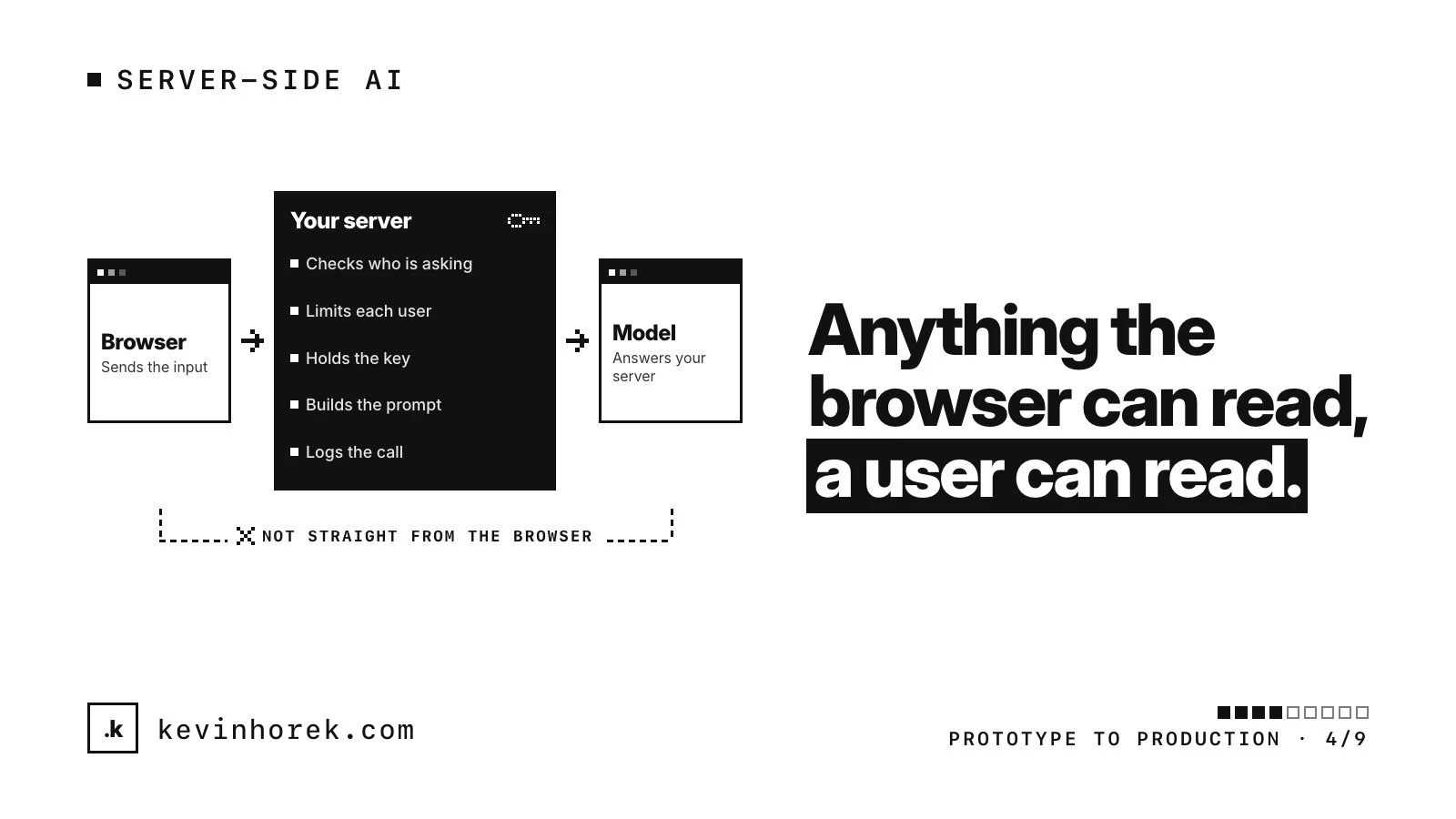
Anything the browser can read, a user can read, including keys, prompts and the model name. I covered how keys end up in shipped code in the security holes I see most in AI-built apps.
The providers agree. OpenAI's API key safety guide says never to put your key in browsers or mobile apps, and to route requests through your own backend. Anthropic's TypeScript SDK blocks browser use by default to protect your key, unless you set an option called dangerouslyAllowBrowser. OpenAI's Node SDK works the same way. If your code sets it, that call needs to move.
A call from the browser loses three things:
- The key. Anyone can copy it and run up charges on your account.
- Limits. OpenAI's rate limits guide says its limits are set for your organization and project, not for each user. One person with a script can use the lot.
- A record. You can't see who asked what, what it cost or why it failed.
What a server-side AI route does
The browser sends the user's input to your own endpoint, and your server decides what happens next. I build one route per feature, not a general proxy that forwards whatever prompt it receives. A general proxy is just your key with extra steps.
1. Check who is asking and what they may do
Check the session inside the route, then the permission: does this user's plan or role include the feature, and may they use the records the prompt draws on? A route is public whether or not your interface links to it.
Anthropic's Messages API also takes a metadata.user_id with each request to help it spot abuse. Use an opaque id, never a name, email address or phone number.
2. Set rate limits and usage caps
OWASP lists unbounded consumption among the top risks for LLM applications and recommends rate limits, user quotas, input size limits and timeouts. OpenAI's guide suggests per-user limits too.
I set:
- requests per minute for each user;
- an allowance per user or account for each day or month, matched to their plan;
- a maximum input size and a maximum output length;
- a spend limit at the provider, as a backstop.
That last one is a fuse, not a quota: when it trips, requests fail for every customer at once. Per-user limits keep it from tripping. Then design what people see at a limit, which I wrote about in what an AI feature costs to operate.
3. Keep prompts and model choice on the server
If the browser sends the whole prompt and the model name, anyone can edit them: swap in the most expensive model, strip out your instructions, or use your account as a free chatbot.
The browser should send the user's input and which feature it's for. The server builds the prompt, picks the model, sets the output limit and decides which tools the model may use. A side benefit: you can change a prompt or switch models without shipping a new front end.
4. Handle timeouts and retries
Model calls are slow, and at volume some fail. The official TypeScript SDKs from Anthropic and OpenAI both retry certain errors twice by default with a short backoff, and both default to a ten-minute timeout. Nobody watches a spinner that long, so set a timeout for each feature, and stream long answers.
Don't stack your own retry loop on top of the SDK's. OpenAI notes that failed requests still count toward your per-minute limit, and Anthropic's errors guide says the error at its monthly spend cap keeps failing until access resumes. If the AI step saves anything, make sure a retry can't save it twice.
5. Log enough to debug and track cost
For each call, I log the internal user and account id, the feature, the model, input and output tokens, duration, outcome and the provider's request id. Token counts per feature are what let you work out the cost of a useful result.
I don't log full prompts and answers by default, because they carry customer data. The OWASP Logging Cheat Sheet says access tokens, passwords, keys and sensitive personal data usually shouldn't go into logs as they are. Anthropic's SDK logs full request and response bodies at its debug level, so keep that off in production. If you need real prompts for quality review, keep a sample on purpose, with access controls and a deletion date.
6. Fail gracefully
Decide what the user sees when the model is slow, down or out of allowance. Keep what they typed. Say what happened in plain words, never the provider's raw error. Offer a retry and, where you can, a way to finish the task without AI. Test any fallback model as its own feature, because its answers will differ.
The move, as a checklist
- Find every place the front end calls a model: search for provider SDK imports, API hostnames and key prefixes.
- Create one server route per AI feature.
- Move the prompt, model and settings into that route.
- Add the permission check, limits, timeouts, logging and a fallback.
- Rotate any key that was ever in the browser, and use separate keys for dev, test and live, as Anthropic recommends.
- Call each route signed out, as the wrong user, in a burst, with an oversized input and with the provider unavailable.
Like the rest of porting a prototype in steps, this is one shippable piece of work. Do it before the first real user, not after the first surprise bill.