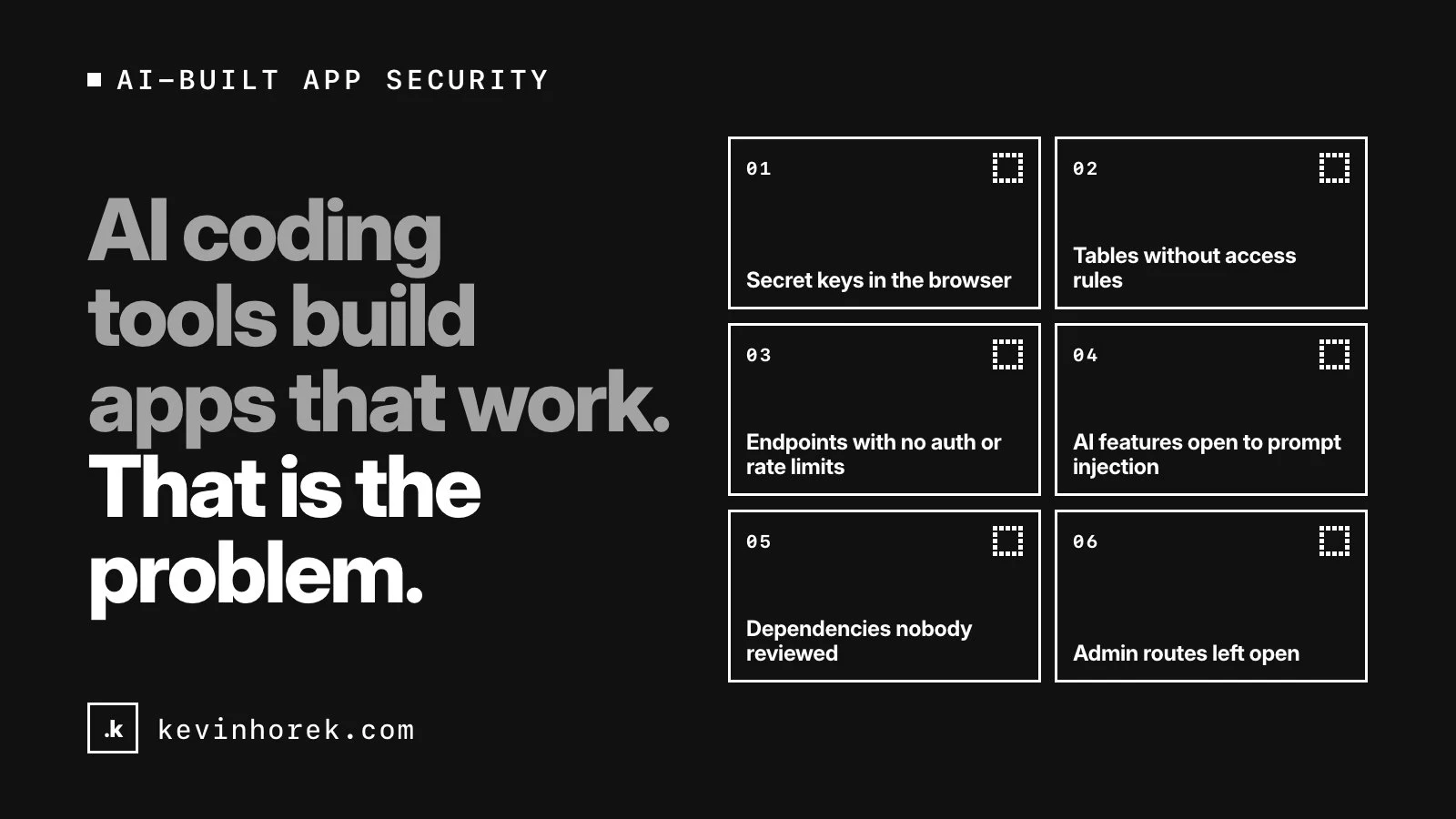
AI coding tools build apps that work. Sign-in works, the data shows up, the demo goes well.
That is the problem. Every hole on this list is invisible in a demo, because a demo has one friendly user doing the expected thing.
None of these holes is new. I have been building for the web for more than 30 years, and all of them predate AI. What changed is speed. An agent can produce a working app in a weekend, and it aims for "it works," not "it holds up when someone tries to break it."
These are the six I look for first, why AI tools tend to produce them, and how to check and fix each one.
1. Secret keys in the browser or the repository
Why it happens. When a call fails because a key isn't available in the browser, the quickest fix is to make it available, and frameworks make that a one-word change. Next.js inlines any variable starting with NEXT_PUBLIC_ into the JavaScript sent to the browser, and Vite warns that VITE_ variables should not contain API keys. Keys also get hardcoded into config files and committed.
Check. Open the live site, search the loaded JavaScript in your browser's developer tools for your key prefixes, and search the repository and its history. GitHub's secret scanning checks the entire Git history on all branches, free on public repositories, and push protection blocks pushes that contain secrets.
Fix. Rotate the key first. GitHub's guide to removing sensitive data puts revoking or rotating ahead of rewriting history, which has side effects. Then move the call into server code.
2. Database tables without access rules
Why it happens. With one test account, every query returns the right data whether or not rules exist. When rules do exist and a query comes back empty, an agent may "fix" it by loosening the policy or reaching for a key that bypasses it. I cover this in my Supabase launch checklist.
Check. On Supabase, the Security Advisor flags public tables with row-level security turned off. Then create two test users in different accounts and try to read, change and delete each other's rows, using the same publishable key your app ships.
Fix. Supabase's row-level security guide says to enable RLS on every table in an exposed schema, and warns that views bypass it by default. Write policies for each operation and test them in CI, so a later change can't quietly open them.
3. API endpoints with no auth or rate limits
Why it happens. The agent builds an endpoint so a screen can load data. The screen only calls it after sign-in, so it looks protected. It isn't: an endpoint is public whether or not your interface links to it. Next.js's authentication guide says to treat Server Actions and Route Handlers like public-facing API endpoints. Rate limits never come up in a demo, because nobody calls anything a thousand times.
Check. List every endpoint, function and server action. Call each one signed out, as another user, and with another user's record IDs. Then send a burst of requests and see whether anything stops you.
Fix. Check the session and the permission inside every handler, close to the data. Confirm the caller may touch that specific record, the first risk in the OWASP API Security Top 10. Add rate limits, especially on anything that sends email or calls a paid AI model. OWASP lists unrestricted resource consumption, including bills from paid third-party services, as its own risk.
4. AI features open to prompt injection
Why it happens. An AI feature is built to follow instructions, and it can't reliably tell yours from ones hidden in what it reads. The OWASP Top 10 for LLM Applications ranks prompt injection first, covering both what users type and instructions hidden in websites or files the model takes in. Prototypes also tend to give the model broad tools, because broad tools make a better demo.
Check. Write down everything the model reads and everything it can do. Then plant instructions in a test document and see whether the feature follows them.
Fix. OWASP says it is unclear whether fool-proof prevention exists, so design to limit the damage: least-privilege access, external content kept separate and marked, validated output formats and human approval for high-risk actions. Its entry on excessive agency adds that authorization belongs in the systems the model calls, not in the model's judgment. I wrote more about that in an AI agent's login is not permission to do everything.
5. Dependencies nobody reviewed
Why it happens. Adding a package is the fastest way to solve a problem, and agents do it freely. OWASP's entry on misinformation notes that models can suggest insecure or non-existent libraries, and that attackers take advantage of the non-existent ones.
Check. Read the dependency changes in every pull request. Confirm each new package is the one you meant, spelled correctly and maintained. Run npm audit or your ecosystem's equivalent, and turn on Dependabot alerts.
Fix. Remove what you don't need, commit the lockfile, and add "no new dependencies without a reason" to the rules your coding agents work under.
6. Admin routes left open
Why it happens. The agent hides the admin link from normal users and calls it done. Hiding a link doesn't protect the page or the actions behind it. Debug, seed and test endpoints from development also tend to survive into production.
Check. Visit every admin URL signed out and as a normal user, and call the admin actions directly. Search the code for routes named admin, debug, seed or test. OWASP's API list covers both problems: broken function level authorization, and improper inventory management, which includes exposed debug endpoints.
Fix. Check the role on the server for every admin page and action. The Next.js guide is clear that client-side UI restrictions alone are not enough. Delete development endpoints before launch rather than hoping nobody finds them.
Before you launch
- Search the shipped JavaScript and the repository history for secrets, and rotate anything you find.
- Turn on row-level security for every table and test it with two users.
- Call every endpoint signed out, as the wrong user and in a burst.
- List what your AI features read and what they can do, then shorten the second list.
- Review every new dependency.
- Try every admin route as a normal user.
None of this needs a security team. It needs someone to try what the demo never did.
If you have an AI-built app heading for launch and want a second pair of eyes on these six, email me.