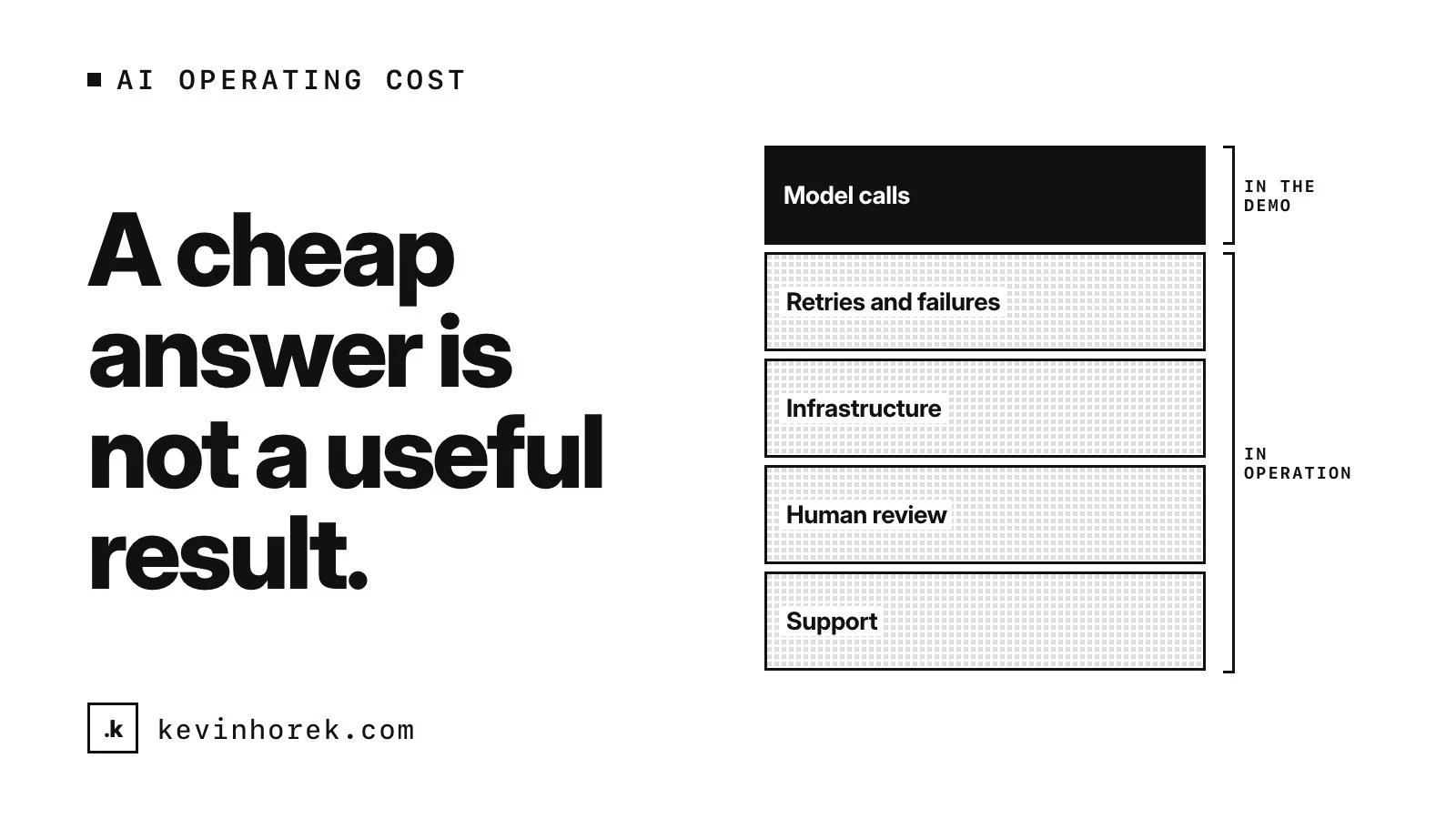
An AI feature in a demo runs once, on a good input, with someone watching. It costs almost nothing and it usually works.
Operating that feature is something else. It runs thousands of times, on whatever customers send it, at whatever hour they send it, and nobody is watching each run. Some of those runs fail. Some get retried. Some produce an answer that a person has to check or fix. The cost of the demo tells you very little about any of that.
Before I add an AI feature to a subscription product, I want to understand what happens when customers actually use it. Here is how I think about it.
Measure the result, not the call
The FinOps Foundation's FinOps for AI overview puts it well: measure the use case, not the token. It suggests tracking cost per successful outcome, which it works out as the total cost of all runs divided by the runs that meet the quality bar.
That definition matters. The runs that fail still cost money, and they sit in the total. A model that is cheaper per call but gets the job right less often can end up costing more per useful result. The overview also says that choosing a model is a cost decision and a quality decision at once, which matches how I pick models.
It recommends reporting that cost as a range rather than one number, because AI forecasts are less predictable than ordinary cloud forecasts, especially early on. I find that honest. A single number for an AI feature you have not shipped yet is usually a guess dressed up as a fact.
What goes into one useful result
When I estimate what a feature costs to operate, I try to count everything that has to happen for a customer to get something they can use.
- The model calls. Not just the customer's words. The FinOps overview notes that the tokens a user types are not always the tokens billed, because applications add system prompts, history and retrieved content.
- Retries and failures. When a step fails a check and runs again, you pay for both attempts. When it fails outright, you pay for a run that produced nothing.
- The infrastructure around it. Storage, search, queues, logging and monitoring. The overview lists data stores, orchestration and observability as part of the full cost.
- Human review. In my products, people approve the things that matter. In Mentor Intelligence, staff edit the needs AI pulls from a founder's pitch before anything is saved. That review is the reason the feature can be trusted, and it also takes real time from real people.
- Support. When an answer is wrong, someone answers the email, explains what happened and fixes the record.
Most of these never show up in a demo. All of them show up in operation.
A cheap answer is not a useful result
It is easy to confuse the two. A summary that cost a fraction of a cent to generate is not cheap if the customer has to rewrite it, or if it is wrong in a way nobody notices until it causes a problem.
So I define the successful outcome first, in plain words: a draft the customer sends without changes, a match a staff member accepts, a document mapped to the right requirement. Then I test against realistic inputs, not the clean examples from the demo, and count how often the feature clears that bar.
Only then does a cost estimate mean anything.
Price for how people actually use it
Subscription products usually charge a flat fee. AI costs scale with use. That mismatch is where AI features quietly eat margins.
A few things help:
- Look at the spread, not the average. Light, typical and heavy customers can cost very different amounts. Plan for the heavy ones, because they are often your most engaged.
- Decide when the AI runs. Running a model automatically on every new record costs far more than running it when someone asks. That is a product decision as much as a technical one.
- Set limits, and design what happens at them. A clear limit with a clear message is better than a surprise bill or a feature that silently stops working.
- Watch it at the feature level. The overview recommends monitoring token use at the application level, not only daily spend, and calls out agent loops, prompt changes that double token use and model switches that change price.
I do not have a universal answer for how to price an AI feature. I do think you should know your cost per successful outcome, as a range, before you decide.
When a simpler workflow wins
Sometimes the honest result of this exercise is that the AI step is not worth it. A template, a search, a rule or a well-designed form might get the customer to the same place more reliably and for far less.
That is not a failure. It is the reason to do the math before building. I would rather tell a founder that a fixed workflow covers most of the value than ship a feature that looks impressive and loses money every time a customer uses it. It is the same instinct behind writing the spec before the code: deciding what to build is where most of the savings are.
An AI feature is only cheap if it is cheap per useful result, on real inputs, at real volume.
What I work out before building one
- Define the successful outcome and the quality bar in plain words.
- Run the feature on realistic inputs and count the runs that miss the bar.
- Estimate the full cost per successful outcome as a range, including review and support time.
- Model light, typical and heavy customers, not just the average.
- Decide when the AI runs, what the limits are and what happens at them.
- Monitor cost and quality per feature after launch, and revisit the estimate.
If you are planning an AI feature and want a second opinion on what it will take to run, email me at kevin@kevinhorek.com.