Site builders like Webflow are very good at what they are for. I have done many Webflow builds and many site migrations, and for a marketing or content site, a builder is often the right tool for years.
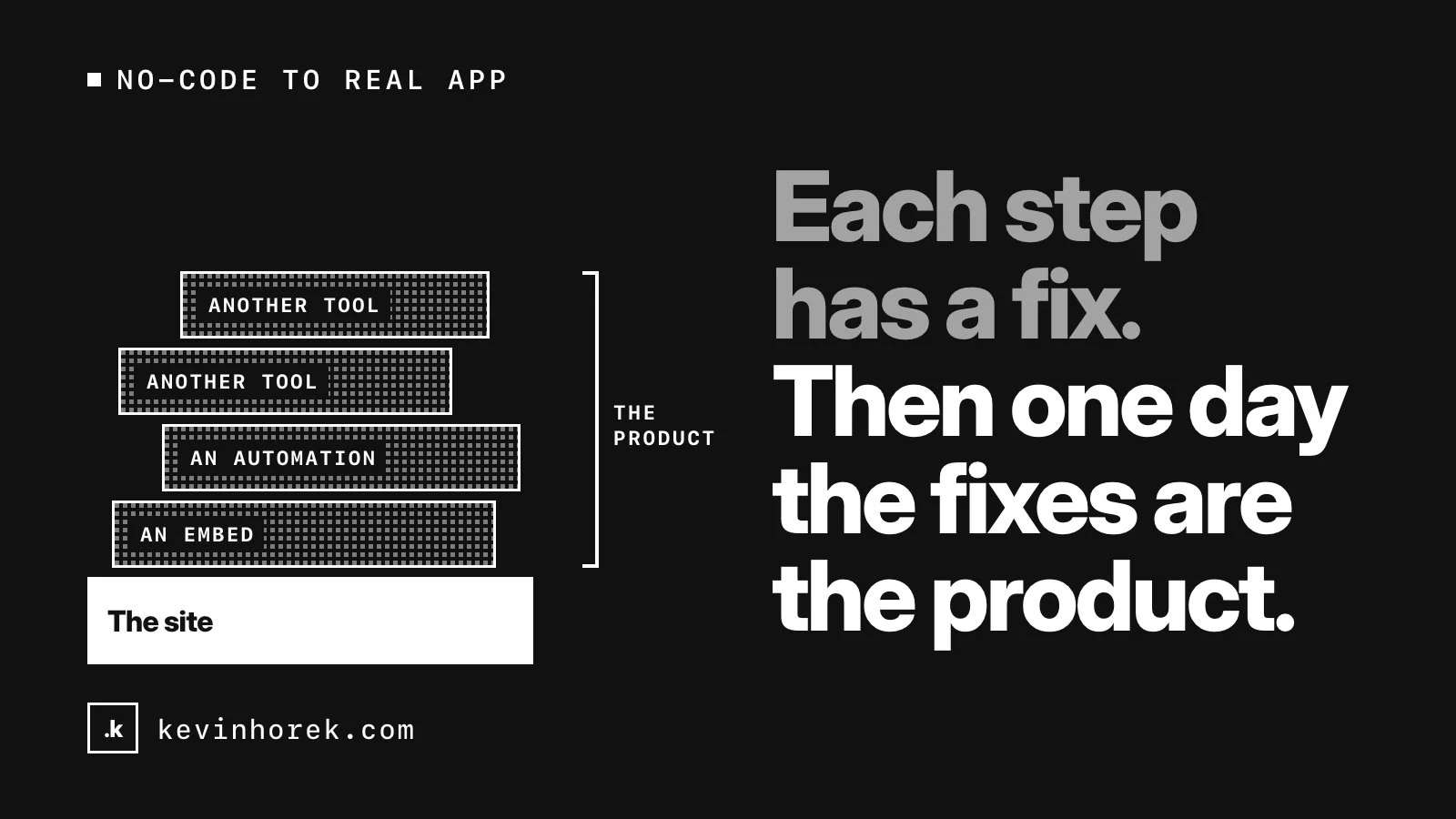
The trouble starts when the site stops being a site. Someone needs to log in. A form needs to start a workflow. The CMS is being used as a database. Each step has a fix: an embed, an automation, another tool. Then one day the fixes are the product.
Here is how I decide when it is time to move, when to stay, and how to move without losing the search traffic the site has earned.
Signs it is time to move
- Your data has outgrown the CMS. Collections are built for content: posts, team members, case studies. When you are working around them to model relationships, per-user records or calculations, you are building a database inside a content tool.
- You need user accounts. Accounts bring roles, permissions, private data and password resets. On Webflow that now means a third-party tool. Webflow retired its own User Accounts on January 29, 2026, and sites still using them lost access to that data.
- Workflows live in automation chains. Approvals, multi-step processes and notifications stitched together across tools are hard to test and easy to break. Webflow also retired Logic, its built-in automation, in 2025 and pointed customers to Zapier and Make. When a platform feature runs your business, part of your roadmap belongs to the platform.
- Integrations need real logic. Two-way syncing with a CRM, handling payment events or calling an AI model with your own rules needs server code you control.
- Performance is slipping. Every embed and third-party script adds weight, and filtering large collections in the browser gets slow.
- The stack costs more than it should. When the builder is one of several subscriptions each doing a piece of an app, add them up and compare that with building the piece you need.
When to stay
If the site is mostly content, your team edits it without help, and the forms just send email, stay. Moving a working content site to custom code adds maintenance and no new capability.
Often the best answer is both. Keep the marketing site on the builder and build the app separately, on a subdomain such as app.yourdomain.com. The pages that earn search traffic don't move at all, and the app gets a proper foundation. Before you build it, decide whether you need a prototype, an MVP or a production application, because each is a different investment.
Moving without losing search traffic
If the content pages do move, the goal is that Google and your visitors barely notice. Google Search Central's guide to site moves with URL changes is the reference I work from. These are the steps that matter most.
List every URL first. Pull them from your sitemap, Search Console, analytics and a crawl. Google's guide says to include images, videos, scripts and stylesheets, not just pages. On Webflow, exported code leaves out CMS content, so export each collection as CSV and copy the image files, since image fields export as Webflow-hosted links. Export your existing 301 redirects too.
Keep URLs wherever you can. If /blog/my-post stays /blog/my-post, there is nothing to redirect. A custom app can almost always reproduce the old URL patterns.
Use a 301 for every URL that changes. Google recommends permanent server-side redirects and treats them as a signal that the new URL should be canonical. Redirect straight to the final page, without chains, and don't send lots of old URLs to the home page. Bring your old redirects across, updated to point at final destinations. Google says to keep redirects for at least a year, and suggests considering keeping them indefinitely.
Set canonical URLs. Each new page should carry a canonical tag that points to itself, as an absolute URL. On Webflow I set a global canonical URL so every page gets one. In a custom app, build it into the page templates, and check that none points at a staging host.
Publish a new sitemap. Submit it in Search Console, and keep the old URL list to test redirects against.
Update internal links so they point straight at the new URLs rather than through redirects.
Change one thing at a time. Google's guide recommends planning changes one after another, not all at once. Moving platforms, changing the domain and redesigning together means that if traffic drops, you won't know why.
Plan the switch from staging. Staging sites are usually blocked from search. Google suggests listing the noindex rules you will remove at launch and getting the new robots.txt right before you go. Launching with the staging block still on is an easy way to disappear from search.
After the move
Search Console is where you find out how it went. Google's guide calls it your friend during a site move. I watch the indexing and sitemap reports, inspect key pages, test a sample of old URLs to confirm each lands in the right place, and check server logs for errors. If the domain changed, submit a Change of Address in Search Console for the old site.
Expect some movement. Google says rankings settle over time, and that a medium-sized site can take a few weeks or more before Google gradually shows the new URLs instead of the old ones.
The short version
- Move when the site has become an app: accounts, workflows, real data and integrations.
- Stay if it is a content site that works, or put the app beside it.
- List every URL, keep as many as you can, and 301 the rest directly.
- Set self-referencing canonicals, publish a new sitemap and update internal links.
- Change one thing at a time, and watch Search Console afterwards.
If your no-code site is starting to feel like an app, email me. Sometimes the right move is a new app beside the site, not a migration.