Larkreply
Answer every reply to your posts from one list, in your own voice, without handing your accounts to a bot.
The problem
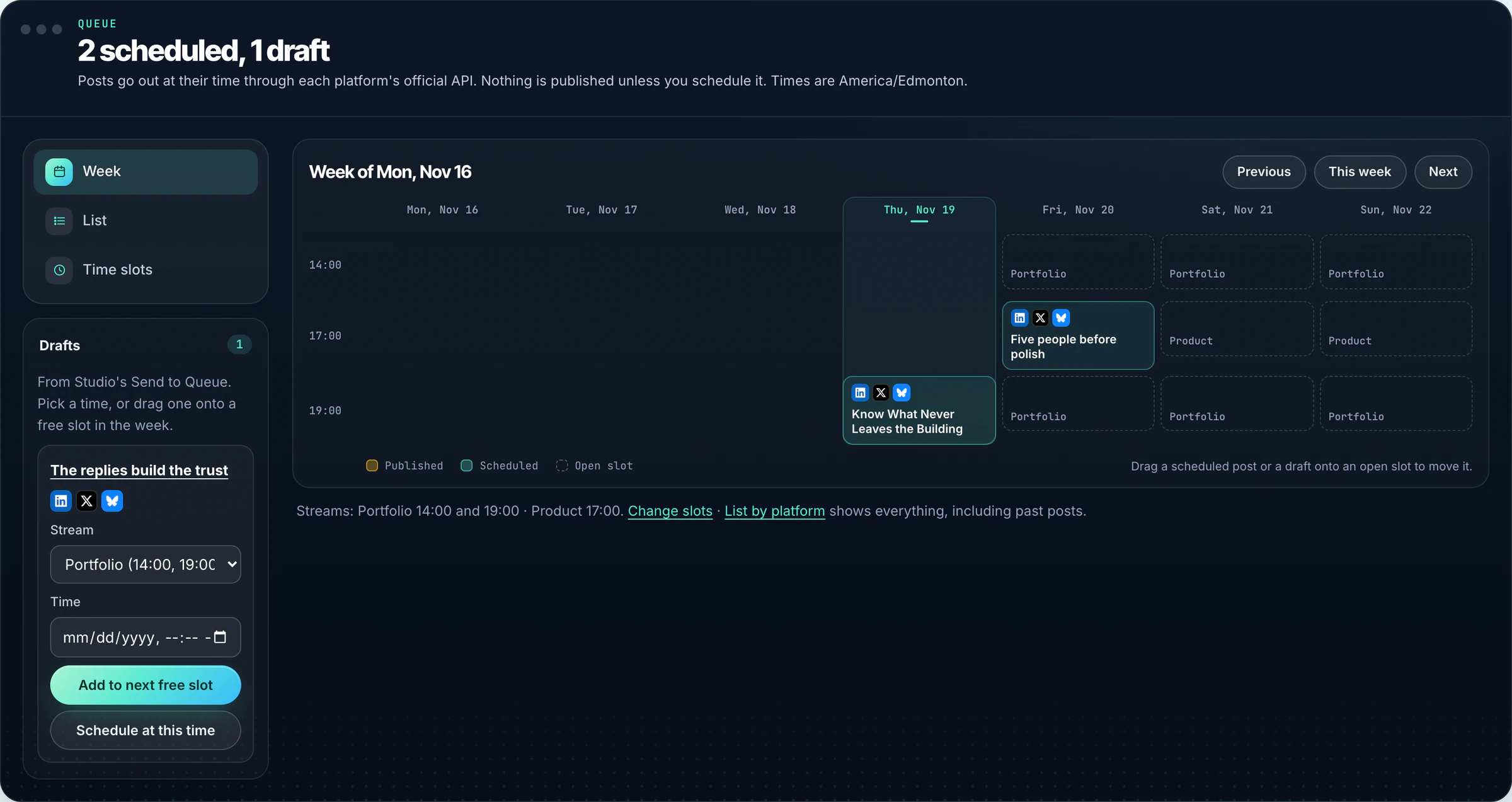
Schedulers made posting easy. Replies did not get the same help. They land in six different apps, in six different notification feeds, and the ones that matter get buried under likes.
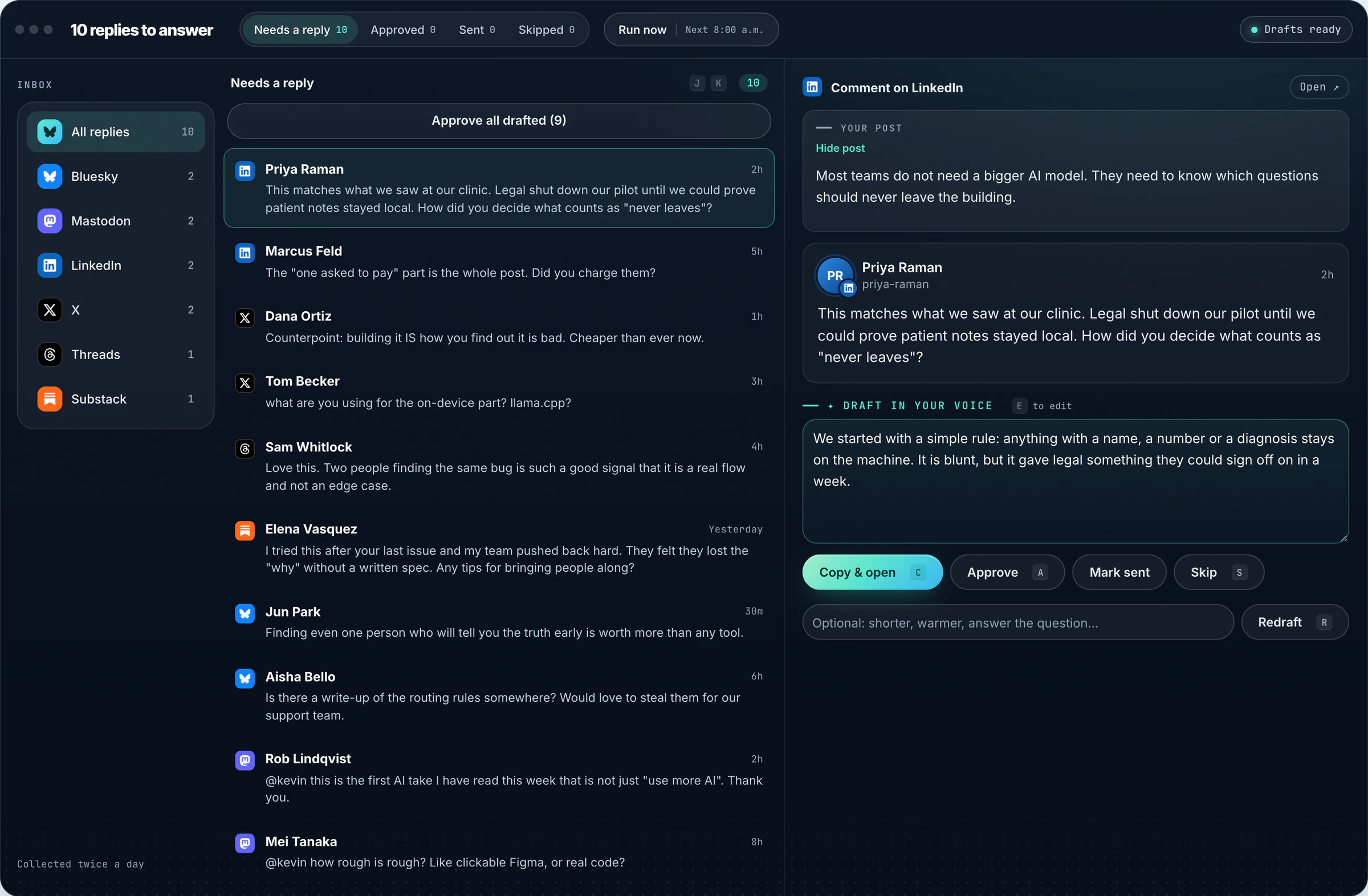
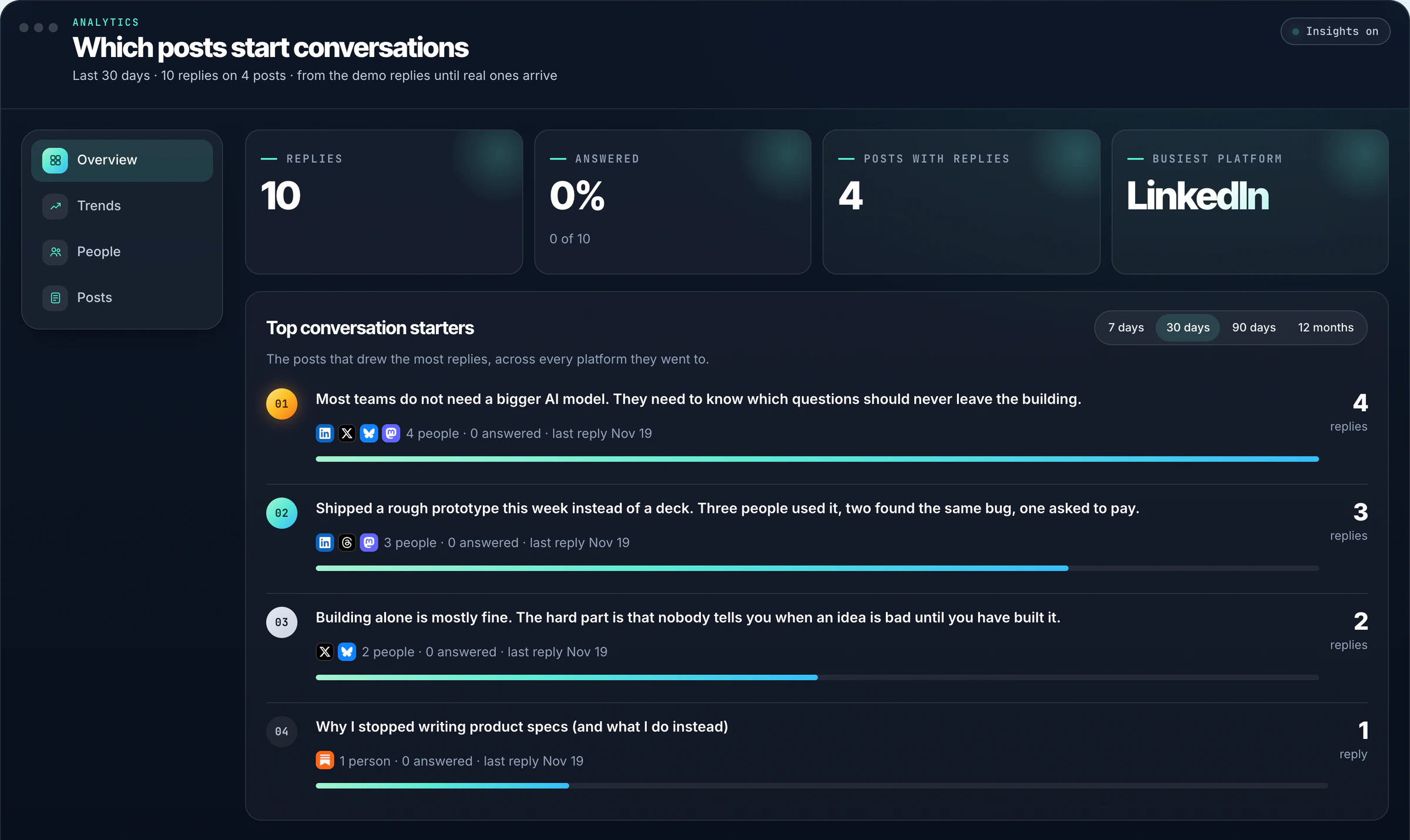
The replies are where trust gets built, so they are the half that should not be skipped. I wanted one list: every reply twice a day, the post it is about, a draft in my voice, and me deciding what goes out.
Key decisions
LinkedIn and X suspend accounts that post through automation, and a reply tool is only useful if your account is safe.
Automate sending everywhere, skip the platforms without a reply API, or keep a person on the Send button.
Bluesky and Mastodon send through their official APIs. On LinkedIn, X, Threads and Substack a Chrome extension reads your notifications in your own signed-in browser, and Copy & open puts the approved reply in the comment box. You press Send.
One more click per reply on four platforms. In return, nothing is ever posted by a bot and no account is put at risk.
People want a desktop app that keeps data on their own computer, and a web app they can open anywhere.
Two codebases, or one codebase that runs on two databases.
One Node.js codebase with a small translation layer between SQLite and Postgres. The desktop app runs on node:sqlite; the web app runs the same code on Supabase. The test suite runs against both.
Every query has to work in two dialects. In return, a fix ships to desktop and web at the same time.
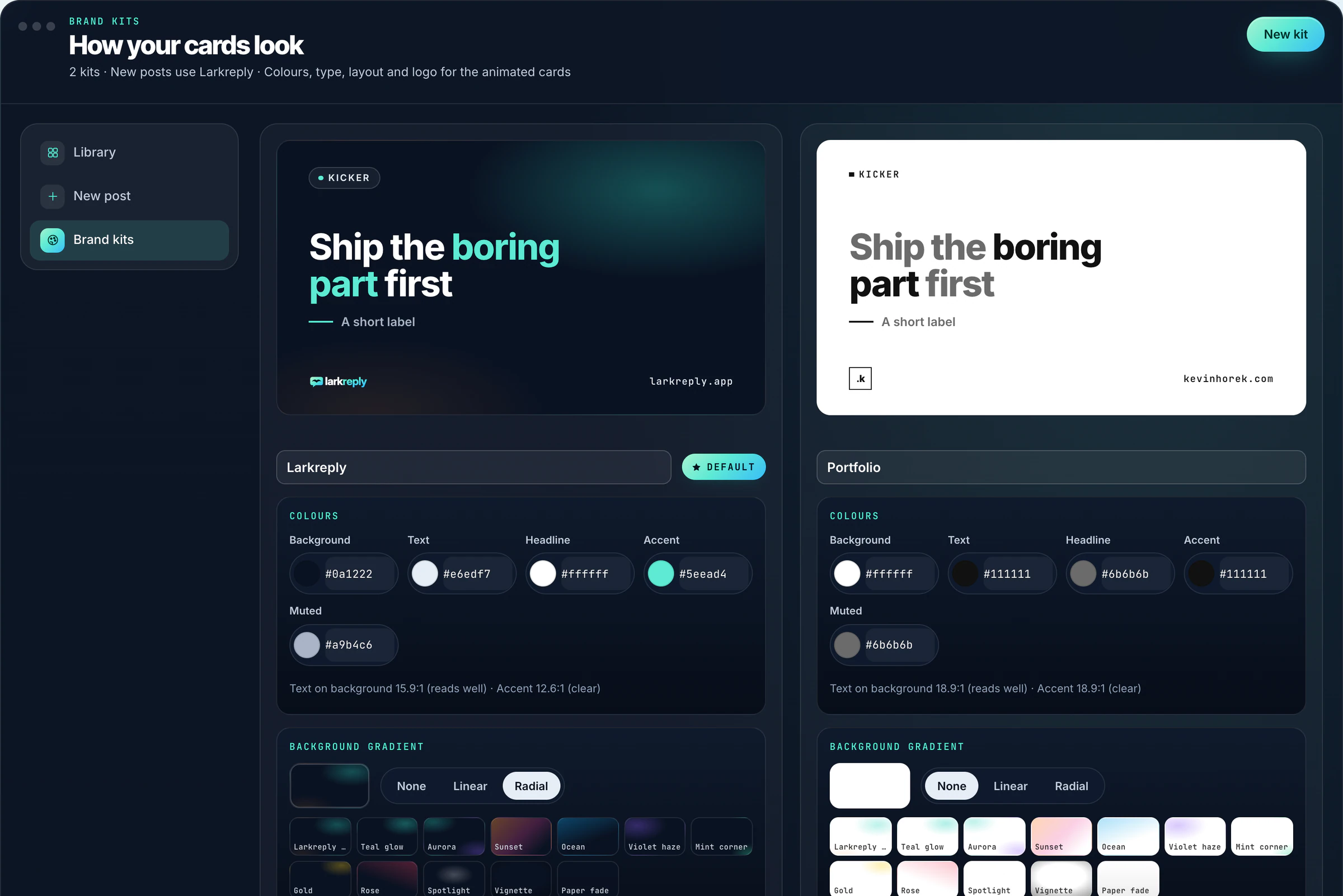
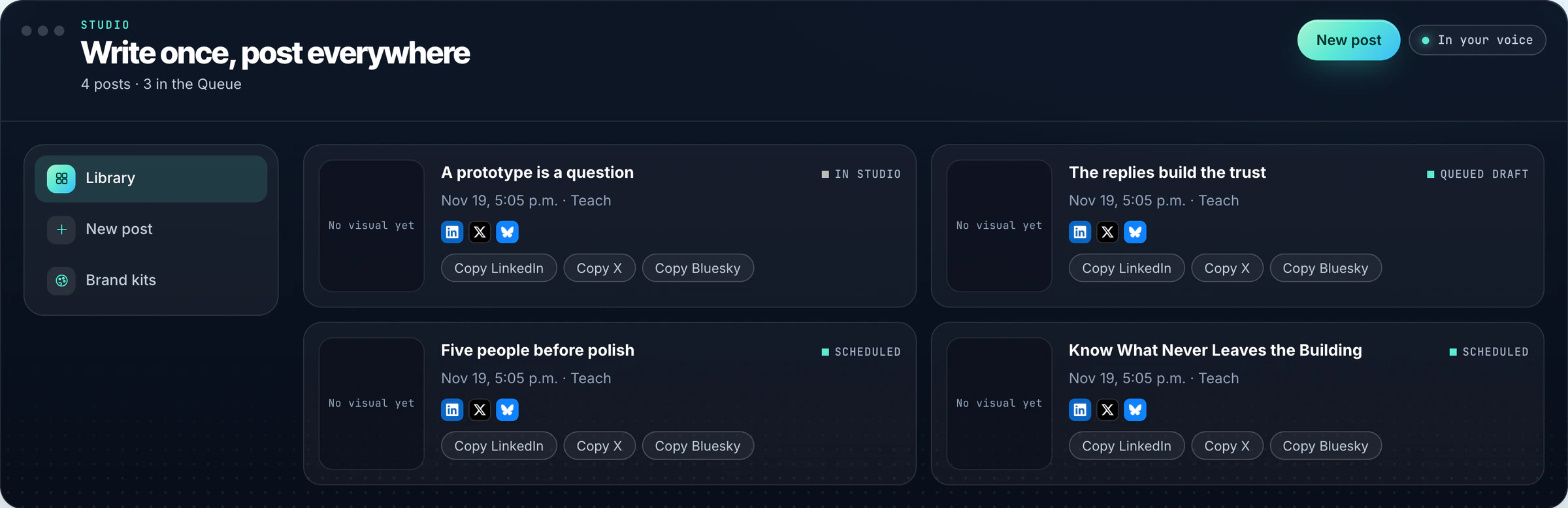
Studio makes animated brand cards for every post, and rendering video on a server costs money per minute.
Pay a rendering service, run headless browsers in the cloud, or render on the user’s machine.
Cards render in the browser with WebCodecs and mp4-muxer and download as MP4s that open on the finished card, so a muted autoplay still reads.
A browser without WebCodecs falls back to a slower real-time recording. In return, no rendering bill and no render queue.
A new account needs to show what the product does before anything is connected, but demo content must never be mistaken for real replies.
An empty state, a video tour, or labelled demo data.
Load demo replies fills the inbox with clearly labelled demo items, a DEMO CONTENT ribbon on each one, and they disappear on their own once a real account connects. Sending a demo reply only marks it sent.
More states to design and test. A new user sees a full inbox in one click and never confuses it with their own.
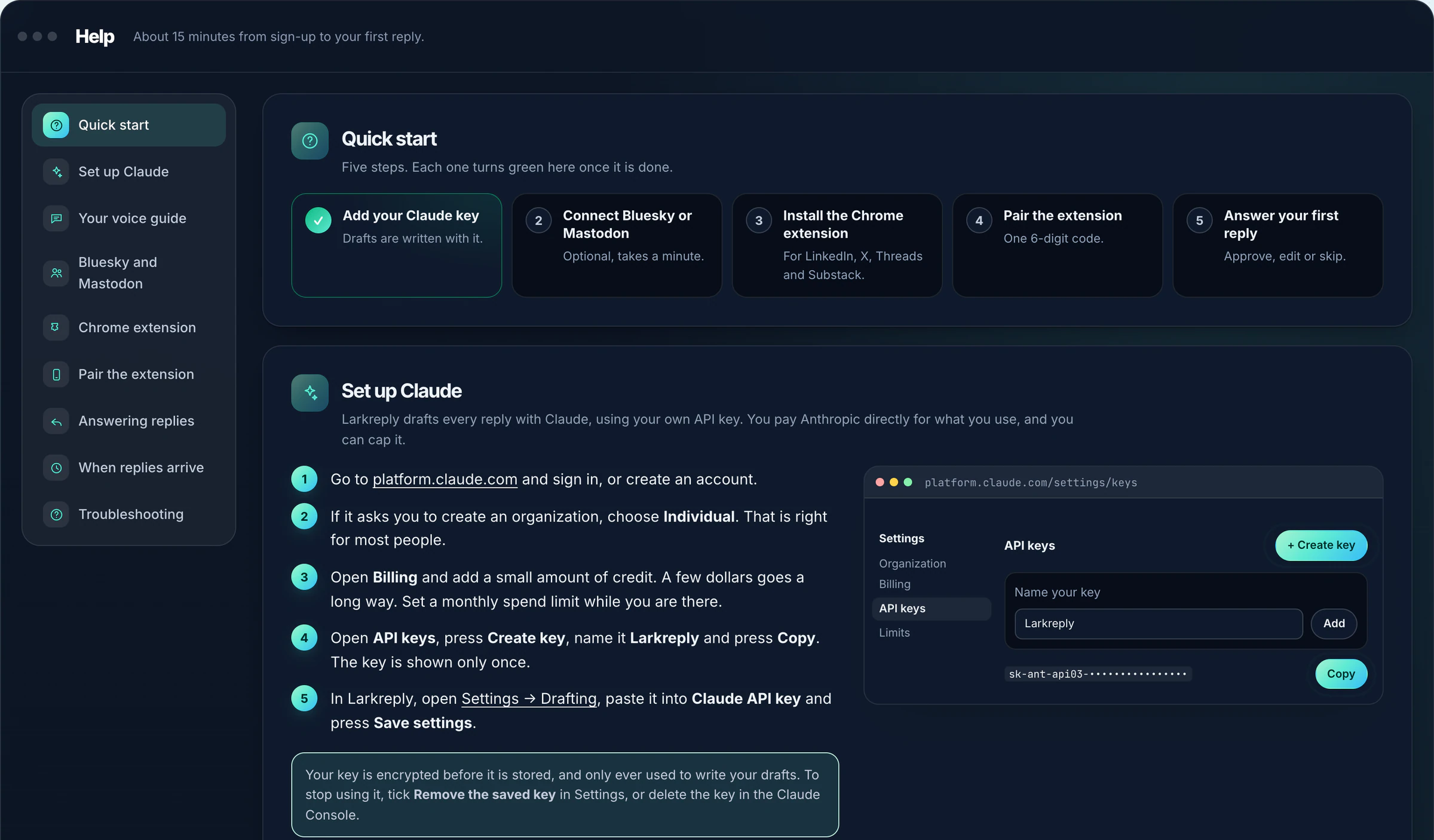
People paste their own Claude key and platform tokens into it.
Store secrets as entered, or treat every secret and every outside request as a risk.
Per-user keys are encrypted before they are stored, every query is scoped to the signed-in user, and the import-a-brand-kit-from-your-website feature is guarded against requests to private network addresses.
More code around small features. Each person’s key is only ever used for their own drafts.
The work
How it was built
- 01DiscoverCalls and walk-throughs with the people who would use it
- 02CompileTranscripts, files and constraints in one requirements brief
- 03SpecifyA detailed, sourced spec from Perplexity, reviewed and locked
- 04BuildDesigned and built with the latest AI models, in the production stack
- 05TestUser testing on every preview, with real users on real tasks
- 06IterateFindings turned into the next round of changes, worst problems first
- 07ShipTests, security review and release, then back to testing and iterating↻ Back to Test
Where AI was used
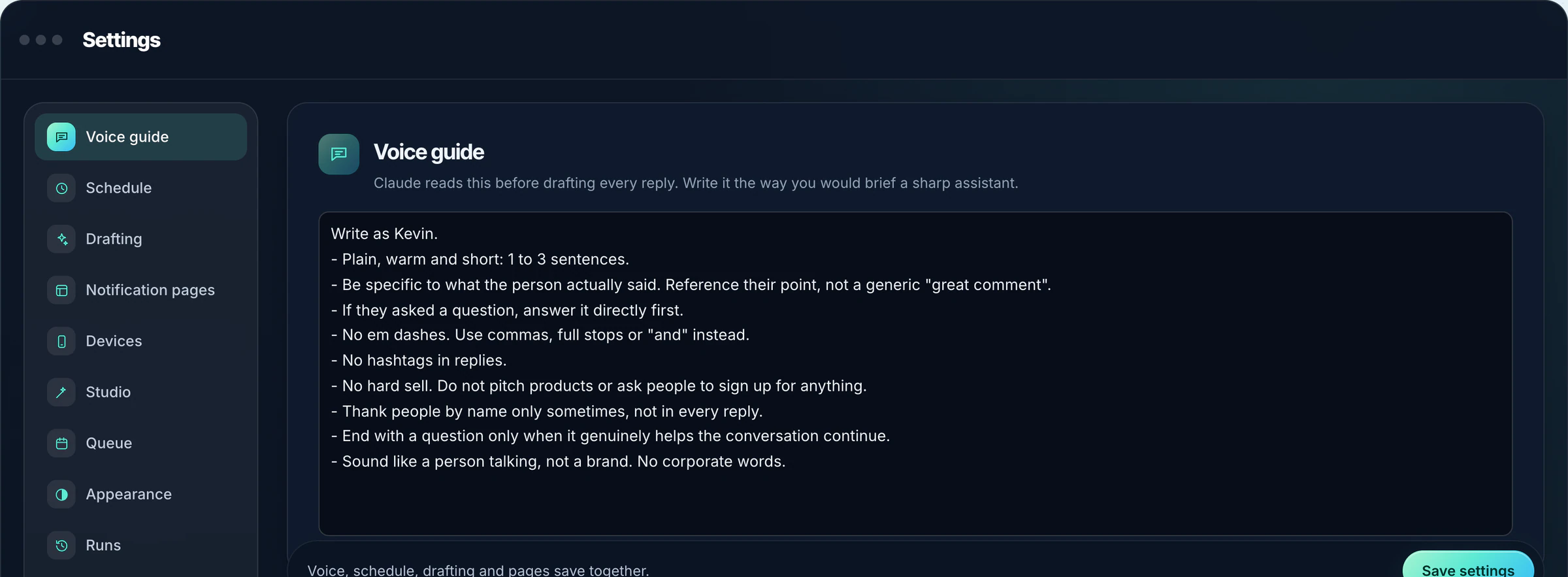
Claude drafts every reply and every platform version with the person’s own API key, guided by a voice guide they write. It never sends anything: a person approves every reply and presses Send. I designed and built it, working with AI coding agents I directed, reviewed and tested.
What’s next
The iPhone, iPad and Android app (Expo) for answering replies on the go, then Studio video rendering in the web app.