CrimsonRadar
Every device’s risk, and what to do about it, in one place.
The problem
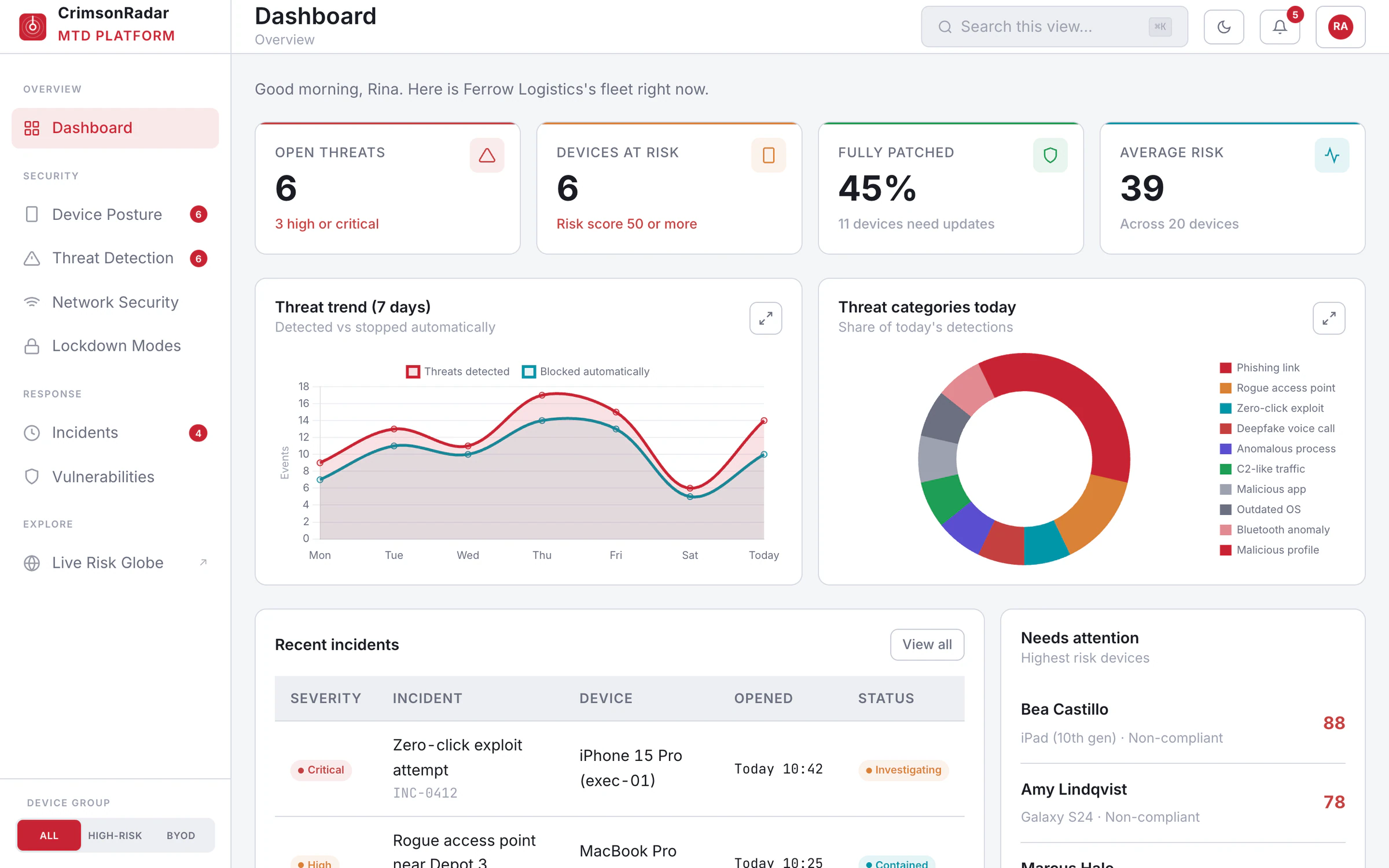
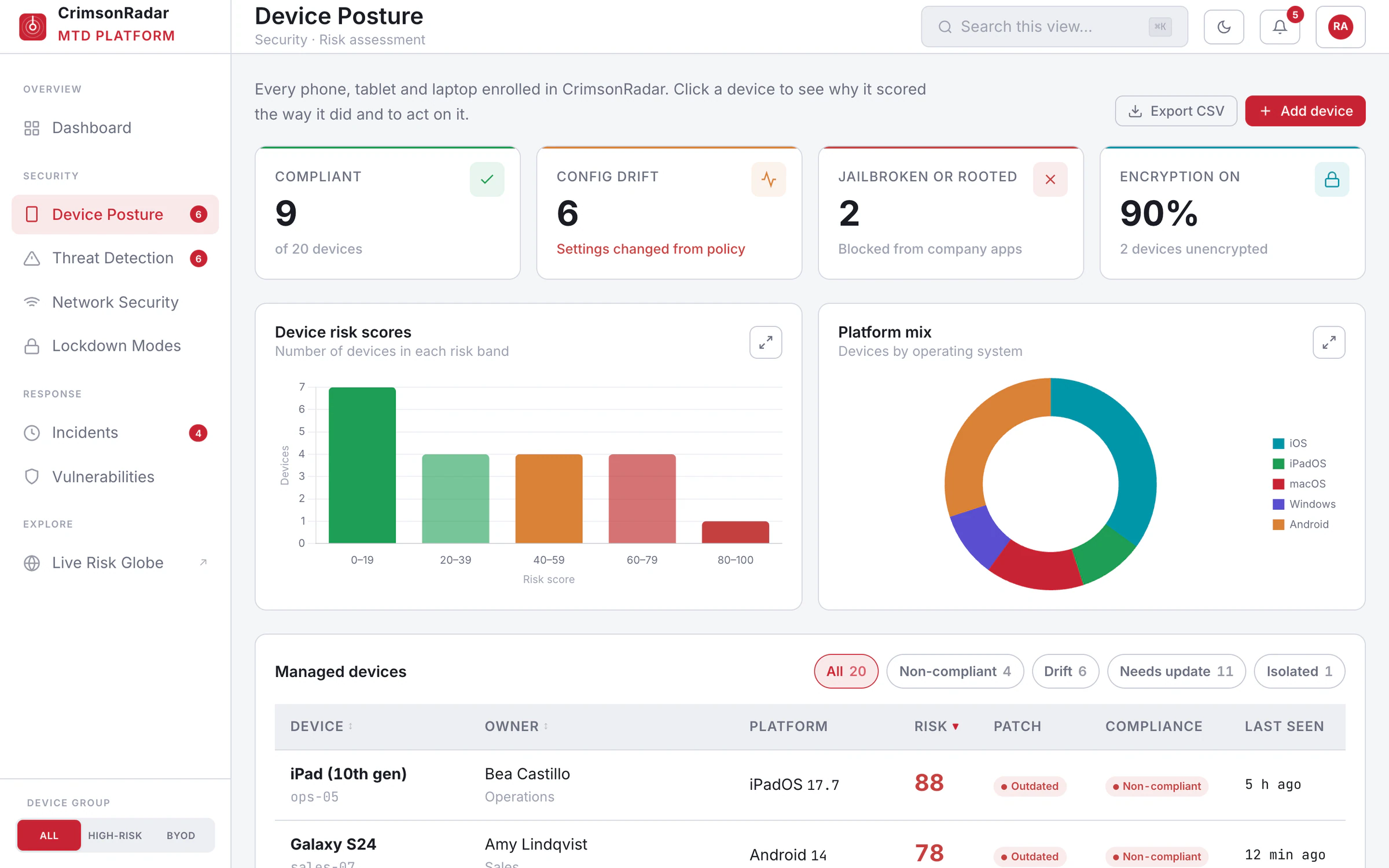
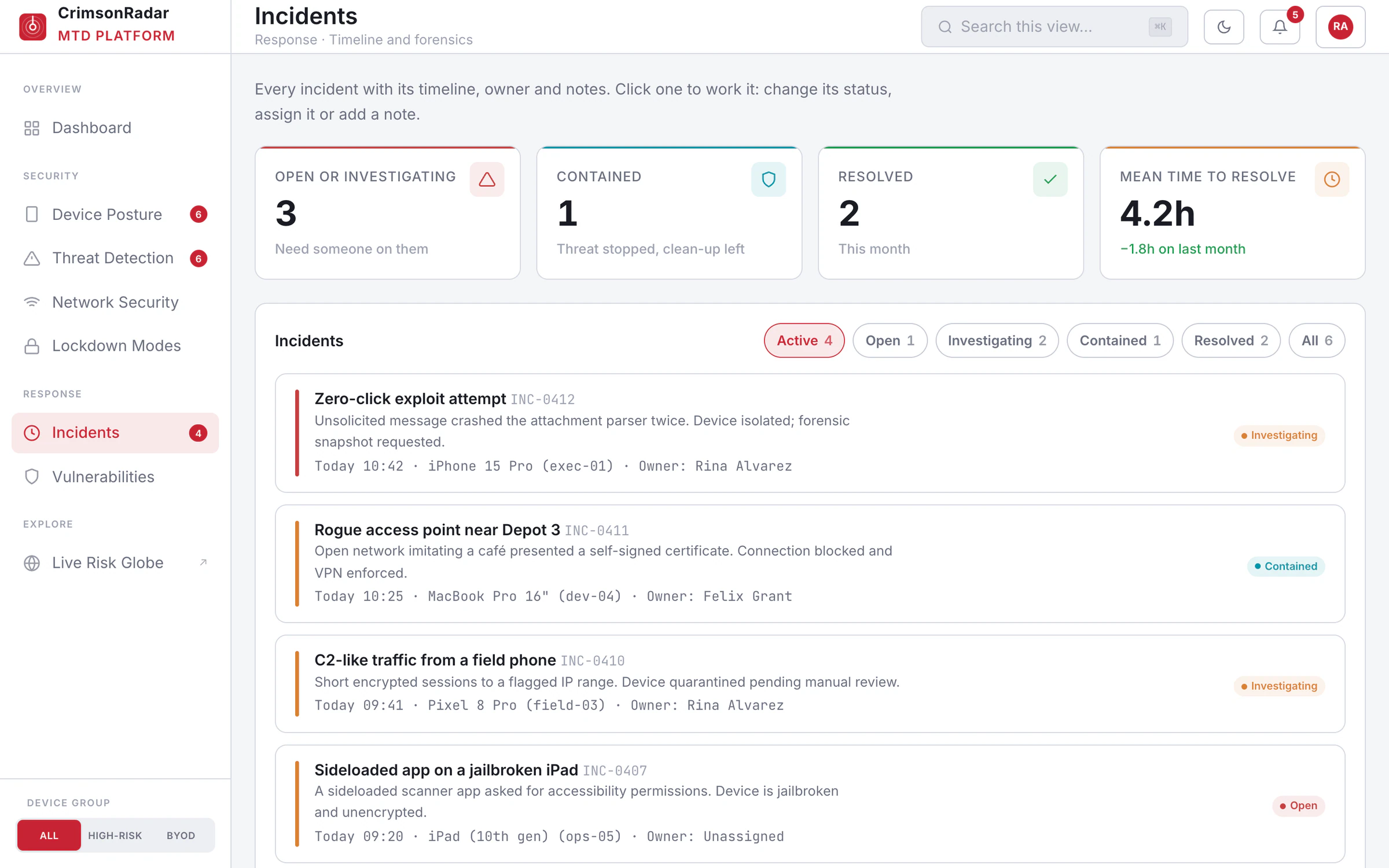
Phones are an easy way into a company: a phishing text, a Wi-Fi network that copies the office name, an exploit that needs no tap at all. IT teams see these in separate tools and have to piece them together while the threat is still live.
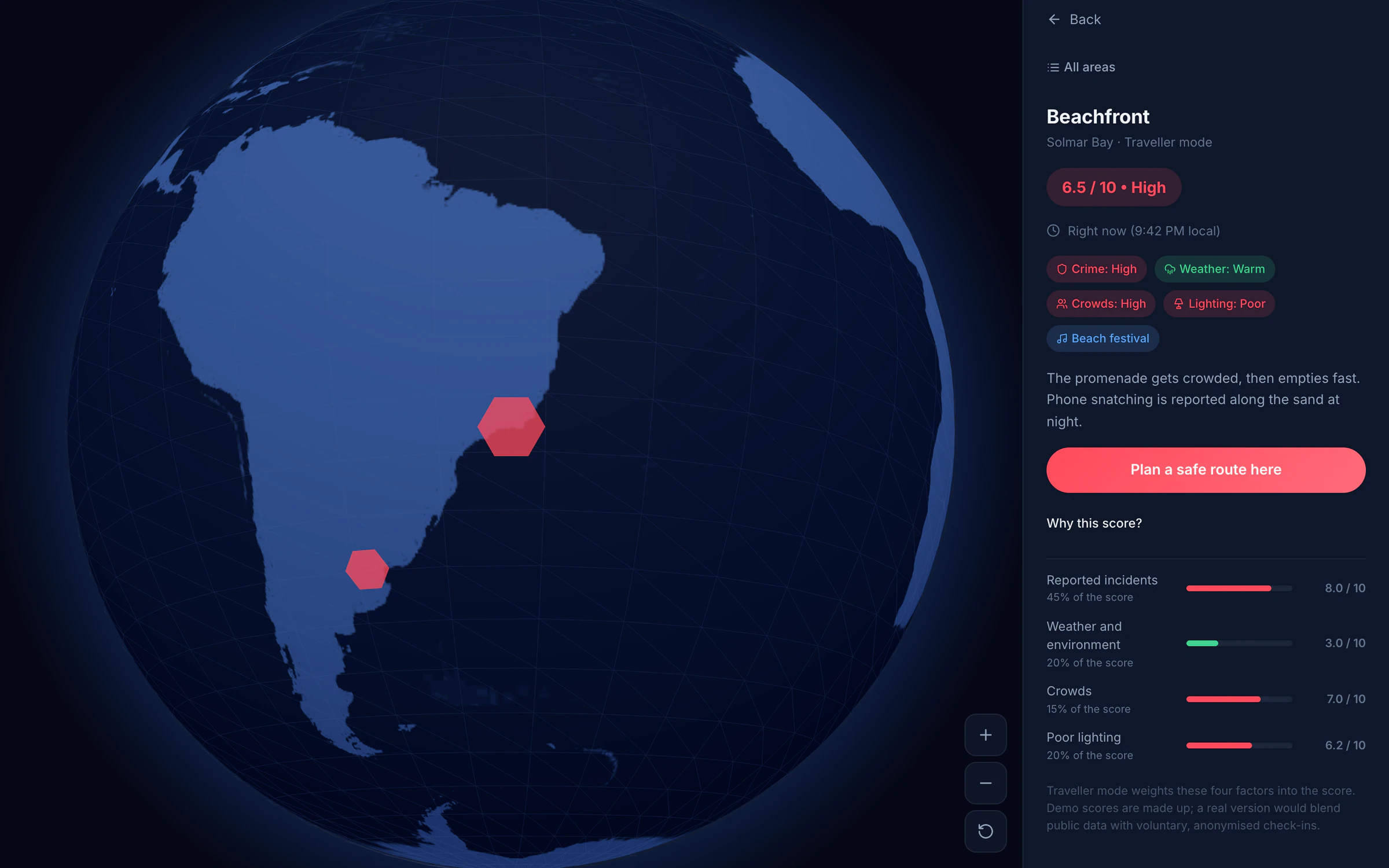
CrimsonRadar puts device posture, detections, networks, hardening and response on one console, and extends the same idea to people on the move: a globe that shows how safe an area feels right now, and why.
Key decisions
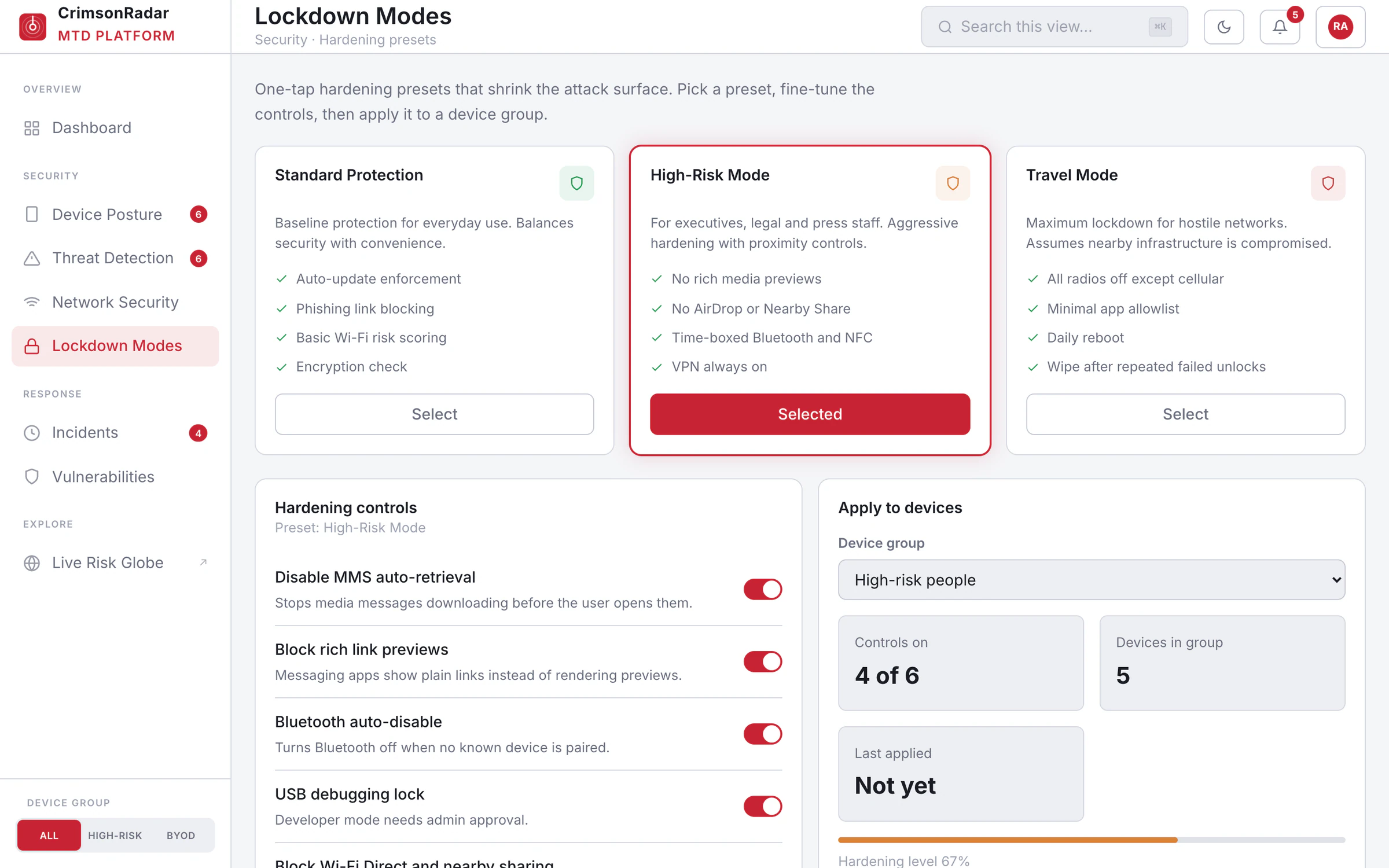
Hardening a phone means dozens of settings, and IT teams rarely have time to tune them person by person.
Expose every control, or start from presets.
Lockdown presets: Standard for everyday use, High-Risk for executives, legal and press staff, and Travel for hostile networks. IT can fine-tune each one and apply it to a device group.
Presets are opinions. Every control inside them stays visible and adjustable.
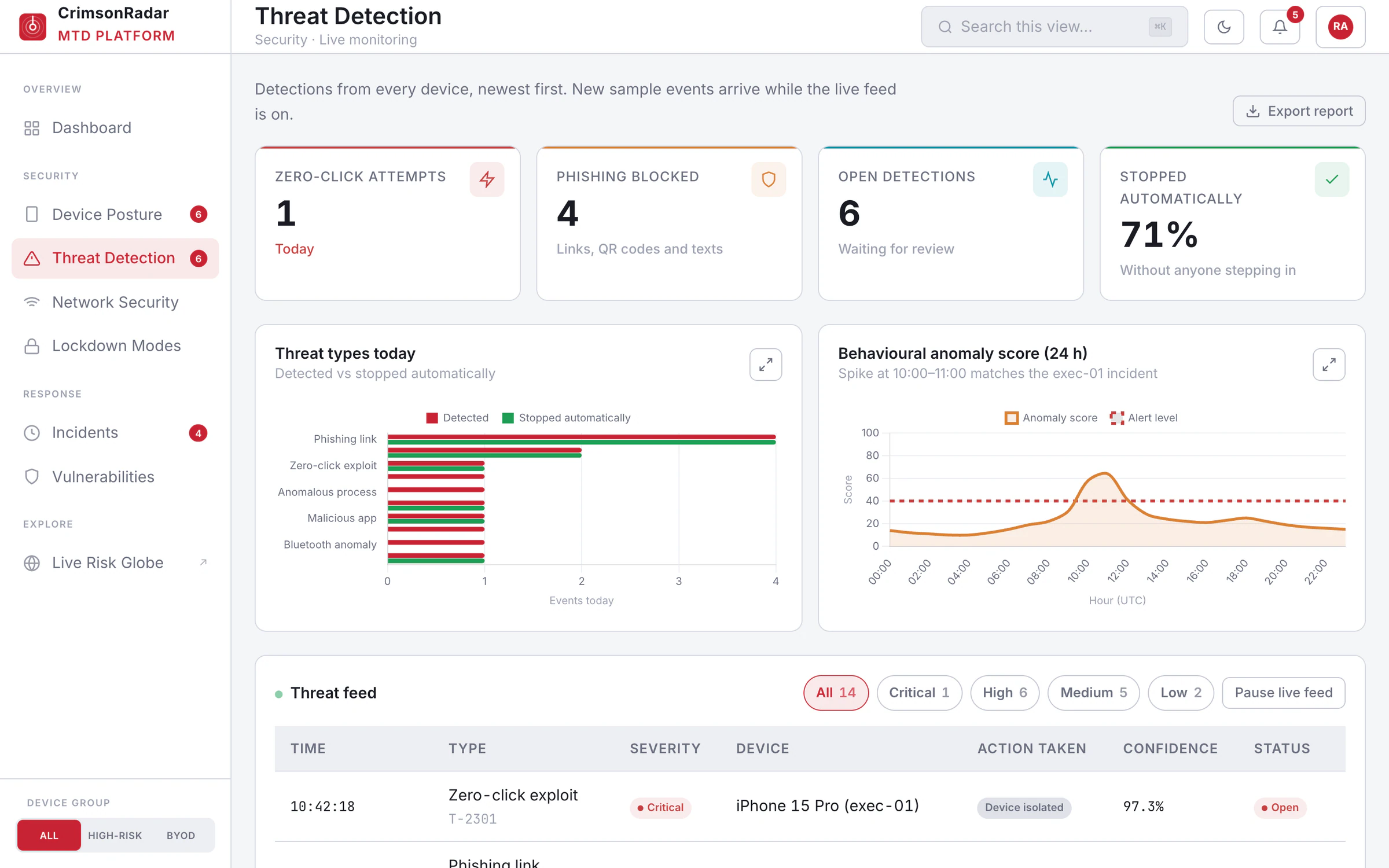
A detection only helps if someone acts on it before the damage is done.
Alert and wait for a person, or take the safe first step automatically.
Automatic first steps, such as isolating the device, blocking the connection or forcing the VPN, shown on the detection, with an incident opened for a person to work.
An automatic step can interrupt someone’s day. Each one is recorded with what triggered it.
People only act on a risk score they trust.
Show one number, or show the number and its reasons.
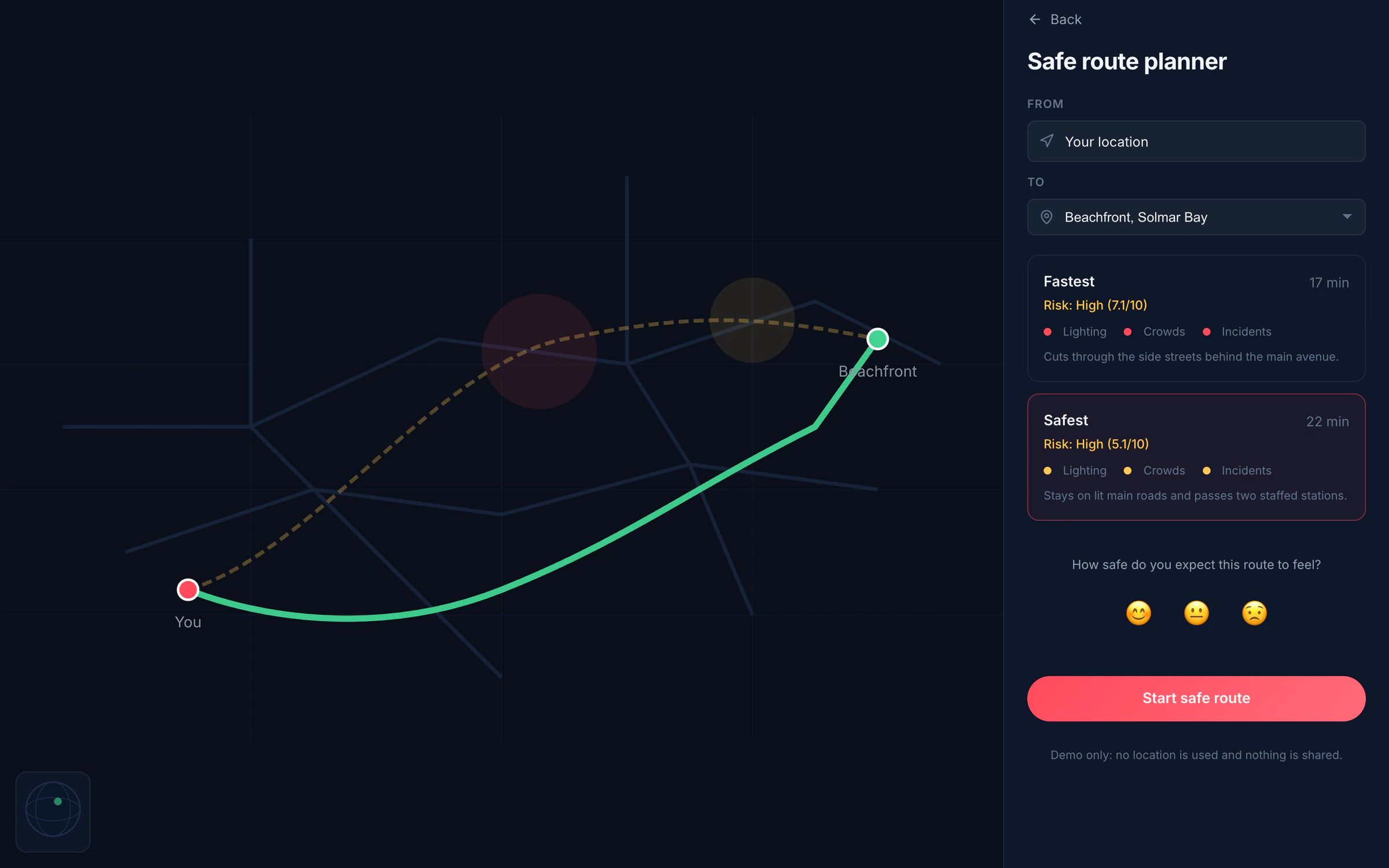
Every area on the globe opens its breakdown: reported incidents, weather, crowds and lighting, each with its weight, next to a fastest-versus-safest route.
More to read. It is also what makes the number worth following.
The work
How it was built
- 01DiscoverCalls and walk-throughs with the people who would use it
- 02CompileTranscripts, files and constraints in one requirements brief
- 03SpecifyA detailed, sourced spec from Perplexity, reviewed and locked
- 04BuildDesigned and built with the latest AI models, in the production stack
- 05TestUser testing on every preview, with real users on real tasks
- 06IterateFindings turned into the next round of changes, worst problems first
- 07ShipTests, security review and release, then back to testing and iterating↻ Back to Test
Where AI was used
Built with coding agents as a clickable prototype. Every company, person, device, detection and vulnerability ID is made-up sample data, and nothing touches a real device.
What’s next
Show it to IT and security teams to find which views they would use first, then decide whether to connect it to a real device-management system.