If your team uses ChatGPT, Copilot, Claude or Gemini, someone has already pasted something into one of them that you would rather they hadn't. A customer list. A chunk of source code. A contract. Maybe an API key buried in a config file.
That is not a sign your people are careless. It is a sign the tools are useful. People paste what they need help with, and the things they need help with are the things that matter to the business.
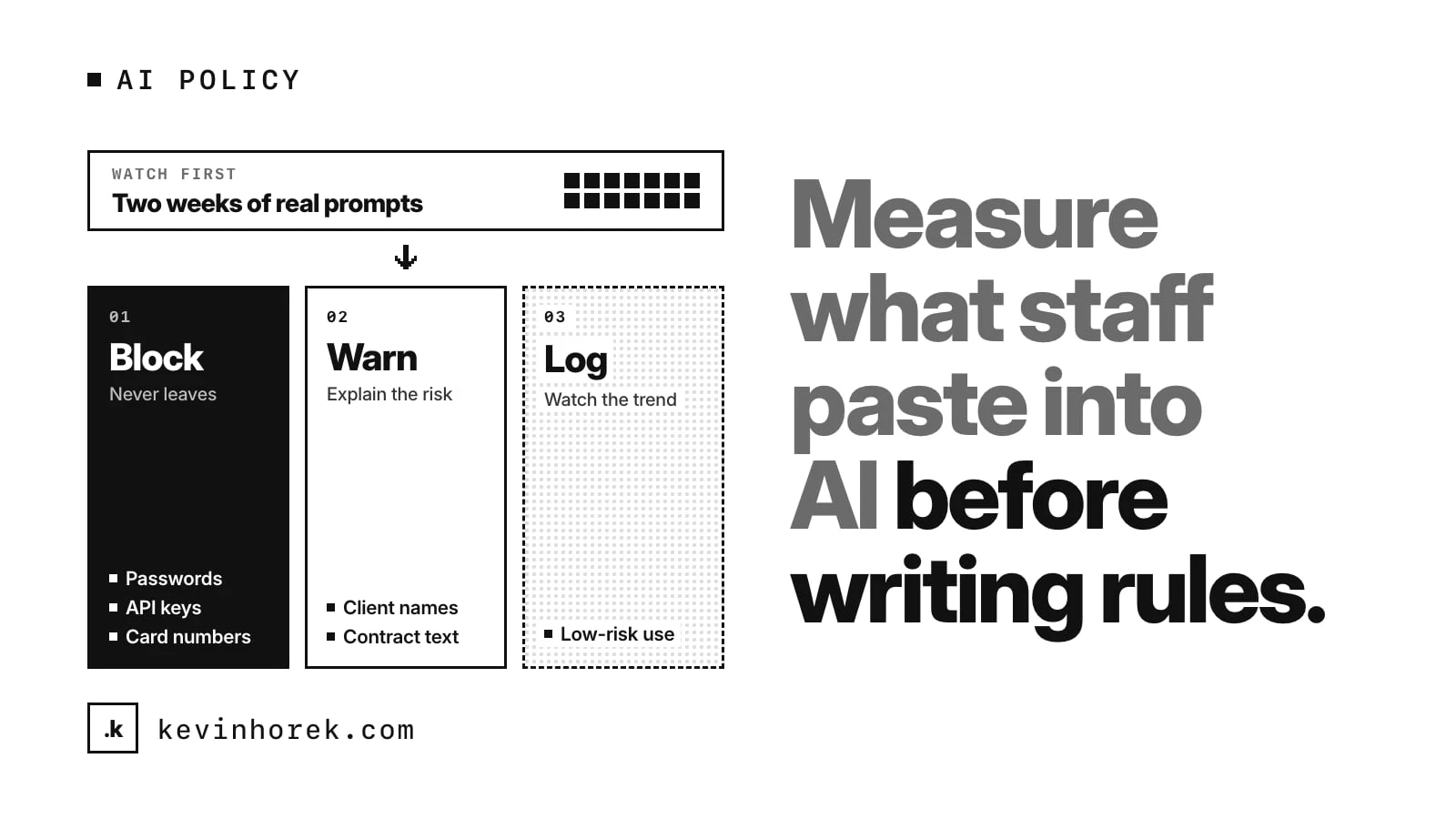
My advice is simple. Before you write the policy, measure what is actually happening. Two weeks is usually enough to see the pattern. Then write rules that fit the work people do, not the work you imagine they do.
Why the policy-first approach goes wrong
The usual order is backwards. Someone in leadership gets nervous, legal drafts a policy, and it goes out as an email. It says something like "do not enter confidential information into AI tools."
That rule fails for two reasons.
First, nobody knows what counts. Is a support ticket confidential? A product spec? A spreadsheet of sales numbers with the names removed? People make their own calls, and they make them differently.
Second, the policy is written without knowing which tools people use, which teams use them most, or what they paste. So it either blocks too much and people work around it, or it blocks too little and nothing changes.
A policy written from guesses is hard to enforce and easy to ignore.
Watch first, for two weeks
Start by logging, not blocking. You want an honest picture, and people change their behaviour the moment a tool starts refusing things.
Over those two weeks, I would want to answer a few questions:
- Which AI tools are in use, including the ones nobody approved.
- Which teams use them most, and at what times of day.
- What kinds of data show up in prompts: personal details, source code, credentials, customer records, financials, internal project names.
- How often each kind appears, and whether it is one person or a whole team.
- What the work was. A developer pasting code to debug it is doing their job. That needs a safer path, not a reprimand.
Tell people you are doing this. Say it is to write sensible rules, not to catch anyone. In many places you have legal duties around monitoring staff, so check those before you start and get proper advice if you are unsure.
Sort what you find into three buckets
Once you have two weeks of data, sort each kind of data into one of three responses.
- Block it. Things that should never leave, whatever the reason: passwords, API keys, private keys, payment card numbers, government ID numbers. These are easy to detect with patterns, and there is almost never a good reason to paste them.
- Warn about it. Things that are sometimes fine and sometimes not: customer names, internal project names, contract text. A warning that explains the risk, at the moment someone pastes, does more than a policy they read once.
- Log it. Things that are low risk but worth watching, so you notice if the pattern changes.
The buckets come from what you saw, not from a template. If your support team pastes customer emails all day to draft replies, you either need a tool approved for that data or a way to strip personal details first. A blanket ban just pushes the work somewhere you can't see it.
Give people a safer path, not just a rule
The best response to a risky pattern is often a better option, not a block.
If developers keep pasting code into a personal AI account, give them an approved tool with the right data terms. If finance pastes spreadsheets, show them how to remove names and account numbers first, or give them a tool that runs on your own systems.
Coaching at the moment of use works better than training once a year. A short message that says "this looks like a customer email address, are you sure?" teaches the rule exactly when it matters.
Write the policy from the data
Now write the policy. It should be short, and every rule should trace back to something you saw.
I would include:
- the approved tools, and what each one is approved for;
- the data that is always blocked, with examples;
- the data that needs care, and what "care" means in practice;
- who to ask when something isn't covered;
- what happens when a rule is broken, and that the first response is a conversation.
Keep it to a page if you can. I wrote about that approach in AI governance for a small team: the one-page version.
Keep measuring after the policy goes out
A policy is not done when it is sent. Keep the same measurement running.
Each week, look at a short report: events by tool and team, the most common rule matches, alerts that needed a person, and anything new. If a rule fires constantly, either the rule is wrong or people need a better tool. If a new AI tool shows up, decide whether to approve it.
That weekly report is also what you show an auditor or a board. "We have a policy" is weak. "Here is what we saw, here is what we changed, and here is how it looks now" is much stronger.
The short version
- Assume data is already being pasted into AI tools.
- Log for two weeks before you block anything, and tell people why.
- Sort what you find into block, warn and log.
- Offer safer tools and in-the-moment coaching, not just bans.
- Write a short policy where every rule comes from what you saw.
- Keep measuring, and adjust the rules each month.
I built a rough prototype of this idea, ShipGuard: a dashboard of what gets pasted into AI tools, with detection rules you can test against a sample prompt and a weekly report. Try the demo. It runs on demo data and doesn't connect to any real AI tool.
How does your team handle AI use today: a written policy, a blocked list, or nothing yet? If you have a view on this, email me.
#AI #Cybersecurity #AIGovernance #Policy